You can import the Postman collection:
Select Retrieve Token.
Enter Client ID and Client Secret as your username and password.
Select Retrieve Token, a token will be saved and used in the next call automatically.
Open Create Calculation.
Now you need a JSON query. You can create one from scratch or use one from Mapp Intelligence:
for example, you could go to Visitors > Traffic.
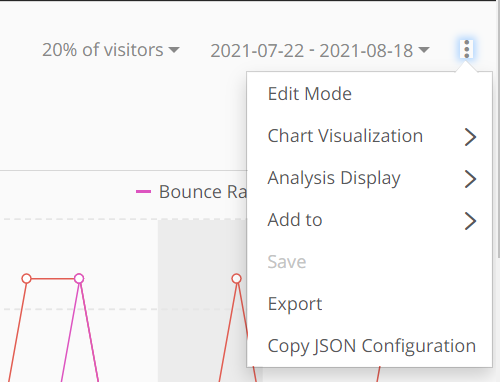
Then click on the 3 dots menu, and select Copy JSON Configuration. Now you can paste the query into Postman.
Add your Configuration into the Body.
Select Create Calculation.
Call a resultUrl or statusUrl from the response:
if the result is available, Create Calculation will return the resultURL
if the result is not ready yet, the Status and a status URL will be returned. Once the result is ready, the response will update to a result Url
Call resultUrl to get the result.
Please note that onsite, if there are no values returned, you will see a 0. However, When using an API this will return as null.