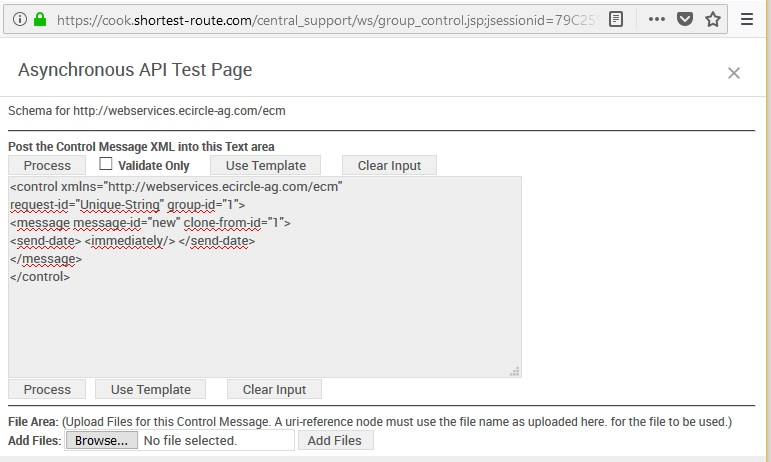
Test Control XML

Prev Next

Procedure

       
  1.        

    In Mapp Engage ​Main Navigation, click Automations > Automations

       
  2.    
  3.        

    Click the Time-based​ tab.

       
  4.    
  5.        

    Click Create

       
  6.    
  7.        

    From the ​Job​ drop-down list, select ​Process Control XML​

       
  8.    
  9.        

    Click Test your Control XML


Available Actions


Validate only


Validate Control XML entered when the Process button is clicked


Process


Validate and process Control XML entered


Use Template


Insert sample Control XML


Browse


Select a file from a local directory.


Add Files


Upload selected file