Description
This navigation block, also known interchangeably as a menu, can have up to eight editable links. This includes the usual text formatting such as Colors, and general styling. Plus, the option to stack the content in two rows in mobile view – depending on the number of navigation links chosen.
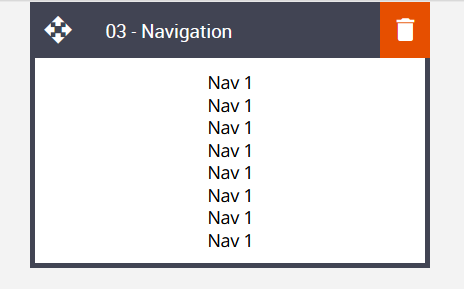
Default block view
Desktop

Mobile
Formatting options
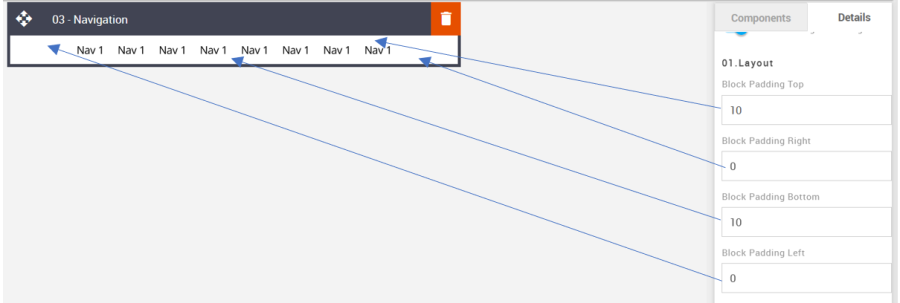
Padding
This refers to the space between the block's content and its border. This can be edited in the Details Tab.
Option | Details | Default |
|---|---|---|
Padding | Top | 10 |
Right | 0 | |
Bottom | 10 | |
Left | 0 |
Stack On Mobile
It allows you to display navigation text in two rows in mobile view.
Option | Details | Default |
|---|---|---|
Stack On Mobile | Navigation Text Stack | Hide |

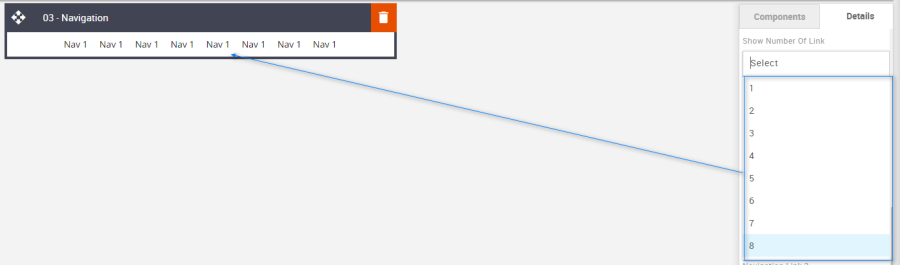
Show Number of Links
Used to change the number of required Navigation links.
Option | Details | Default |
|---|---|---|
Show Number of Links | 1 | 8 |
2 | ||
3 | ||
4 | ||
5 | ||
6 | ||
7 | ||
8 |
Block Background Color
Used to change the block background color. Only use HEX color values. HTML email only recognizes 6-digit long-hand versions and has patchy support for shorthand versions.
Option | Details | Default |
|---|---|---|
Background Color | Block Background Color | #ffffff |

Navigation Text Color
Used to change the navigation text color.
Option | Details | Default |
|---|---|---|
Navigation Text Color | Navigation Text | #000000 |

Line Height
Used to change the line height of the text.
As with all text, please be sure the minimum line height value is not less than 4px higher than the font size. For example, if the font size is 18px, the line height should not exceed 22px.
Option | Details | Default |
|---|---|---|
Line Height | Navigation Text | 18 |

Links
Add the navigation links to the link fields.
Option | Details | Default |
|---|---|---|
Links | Link 1 | Blank |
Link 2 | Blank | |
Link 3 | Blank | |
Link 4 | Blank | |
Link 5 | Blank | |
Link 6 | Blank | |
Link 7 | Blank | |
Link 8 | Blank |

Compatibility
There are no known render issues with this block.