Overview
The Countdown block adds a live countdown timer to your email, shown over a background image. Use it to create urgency for a sale, launch or event. The timer counts down to the date and time you set, in the timezone you choose, and shows your own message once the time is up.
You can make the timer clickable, set the captions in your own language, and choose how the background behaves on mobile.
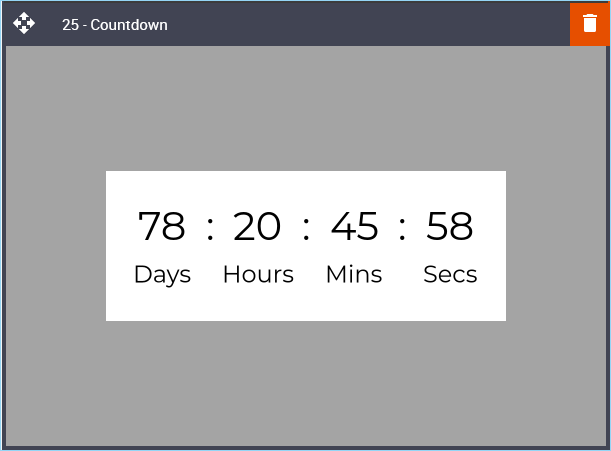
Default Block View
Desktop
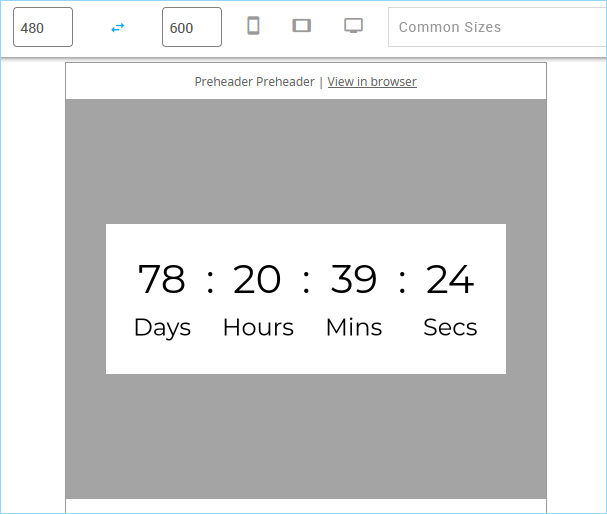
Mobile
Settings
All settings are in the Details tab of the right-hand panel, in four groups.
01. Block Layout
Field | What it does | Default |
|---|---|---|
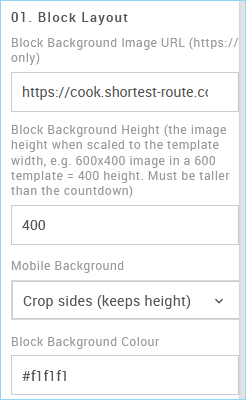
Block Background Image URL (https:// only) | The image shown behind the countdown. The link must start with https://. Leave it empty for no background image. | Sample 600x400 image |
Block Background Height | The height of the background area. Enter the height your image has when scaled to the width of your template. For example, a 600x400 image in a 600 template is 400, and a 1200x800 image in a 600 template is also 400. The height must be greater than the Countdown Height. Enter a number only, without px. | 400 |
Mobile Background | How the background behaves on mobile. See Mobile Background below. | Crop sides (keeps height) |
Block Background Colour | The colour shown behind the background image, and in its place where an image can't be shown. Use a six-digit HEX value, for example #f1f1f1. | #f1f1f1 |
The background image always fills the full width of your template, so you don't need to set its width.
02. Countdown Layout
Field | What it does | Default |
|---|---|---|
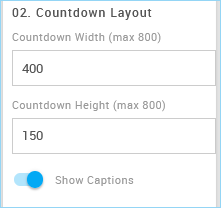
Countdown Width (max 800) | The width of the timer. It should be no wider than your template. On mobile, the timer shrinks to fit the screen. Enter a number only, without px. | 400 |
Countdown Height (max 800) | The height of the timer. Enter a number only, without px. | 150 |
Show Captions | Shows or hides the labels under the numbers (Days, Hours, Mins, Secs). | On |
03. Countdown Settings
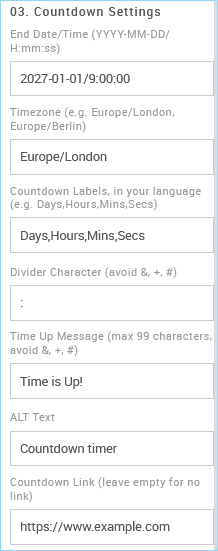
Field | What it does | Default |
|---|---|---|
End Date/Time (YYYY-MM-DD/H:mm:ss) | When the countdown ends. Use this exact format, for example 2027-01-01/9:00:00. | 2027-01-01/9:00:00 |
Timezone | The timezone of the End Date/Time. Use a standard timezone name, for example Europe/London, Europe/Berlin or America/New_York. | Europe/London |
Countdown Labels, in your language | The captions for days, hours, minutes and seconds, separated by commas, for example Tage,Stunden,Min,Sek. | Days,Hours,Mins,Secs |
Divider Character | The character shown between the numbers. Avoid &, + and #. | : |
Time Up Message | The message shown once the countdown has ended. Maximum 99 characters. Avoid &, + and #. | Time is Up! |
ALT Text | A description of the timer for screen readers, and for when images are turned off. | Countdown timer |
Countdown Link | Where readers go when they click the timer. Leave it empty if the timer shouldn't be clickable. |
04. Countdown Styling
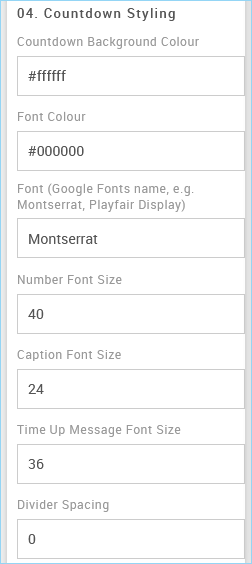
Field | What it does | Default |
|---|---|---|
Countdown Background Colour | The background colour of the timer. Use a six-digit HEX value. | #ffffff |
Font Colour | The colour of the numbers, captions and Time Up Message. Use a six-digit HEX value. | #000000 |
Font | The font of the timer. Use the name of any font from Google Fonts, for example Montserrat or Playfair Display. Fonts that aren't on Google Fonts, such as Arial, won't work, and the timer will use a default font instead. | Open Sans |
Number Font Size | The size of the numbers. Enter a number only, without px. | 40 |
Caption Font Size | The size of the captions. Enter a number only, without px. | 24 |
Time Up Message Font Size | The size of the Time Up Message. Enter a number only, without px. | 36 |
Divider Spacing | The space either side of the divider character. Enter a number only, without px. | 0 |
Mobile Background
On mobile, the block is narrower than on desktop. Mobile Background controls what happens to the background image.
Crop sides (keeps height) | Scale to fit width |
|---|---|
|
|
The block keeps its full height. The background image stays the same size, and its left and right edges are cropped. The timer stays at full size. | The whole block shrinks to fit the screen, keeping its shape. The full background image stays visible, and the timer shrinks with it. |
Best for photos and textures, where losing the edges doesn't matter. | Best when the image has text, a logo or a product near its edges. |
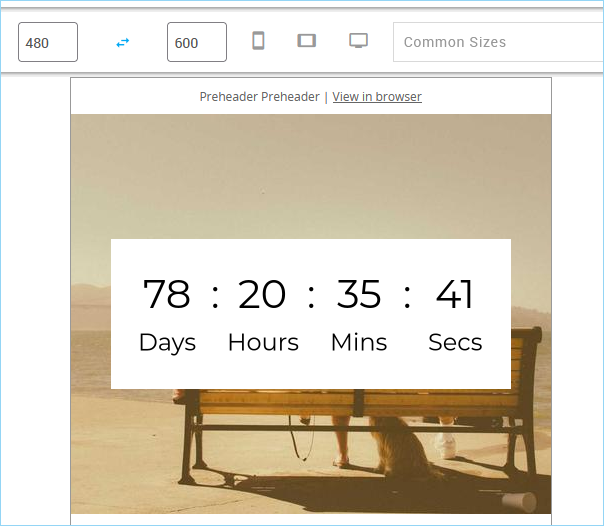
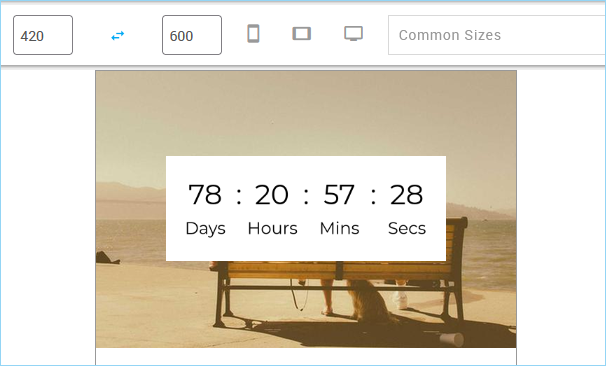
On desktop, both options look the same.
Tips
Get the height right. If the Block Background Height doesn't match your image's shape, part of the image will be cropped, and in Outlook for Windows the image will be stretched. Work out the height from your image's width and height, as in the examples above.
Keep the background taller than the timer. If the Countdown Height is greater than the Block Background Height, the background won't show around the timer, and Outlook for Windows will cut off part of the timer.
Upload your background image to the Mapp media library, so it's always available when your email is opened.
Enter numbers without px. All size fields take a number only, for example 40, not 40px.
Test before you send. Send yourself a test email and check the timer, especially the End Date/Time and Timezone.
Email Client Support
The countdown works in all major email clients on desktop and mobile.
Outlook for Windows (classic): in the reading pane, the timer shows a single frame with the time remaining when the email was opened. When the email is opened in its own window, the timer counts down.