Overview
The Change Related Data Set Owner window allows you to change the owner of a related data set. This is necessary when a user only has permission to view and edit related data sets they own. The Change Related Data Set Owner window is an easy way for one user to create a related data set and transfer it to another user to update or save data.
Procedure
In the main navigation, click Administration > Attributes > Related Data.
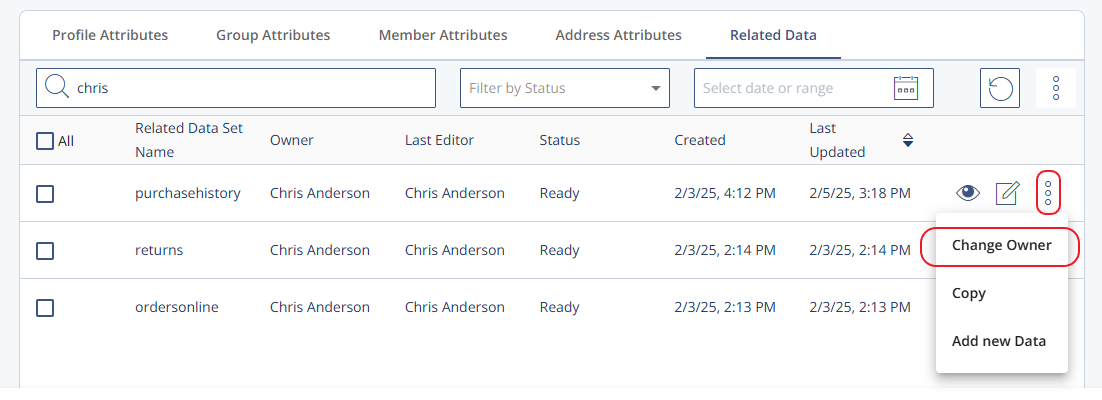
Click the context menu next to the related data set you want to adjust and select Change Owner.
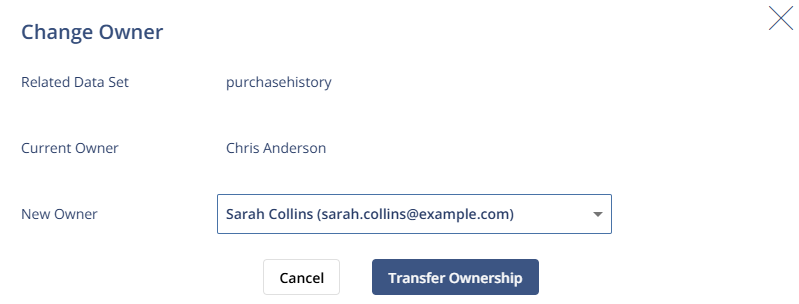
In the Change Owner window, select the New Owner.
Click Transfer Ownership.
A confirmation of the transfer appears on the screen.