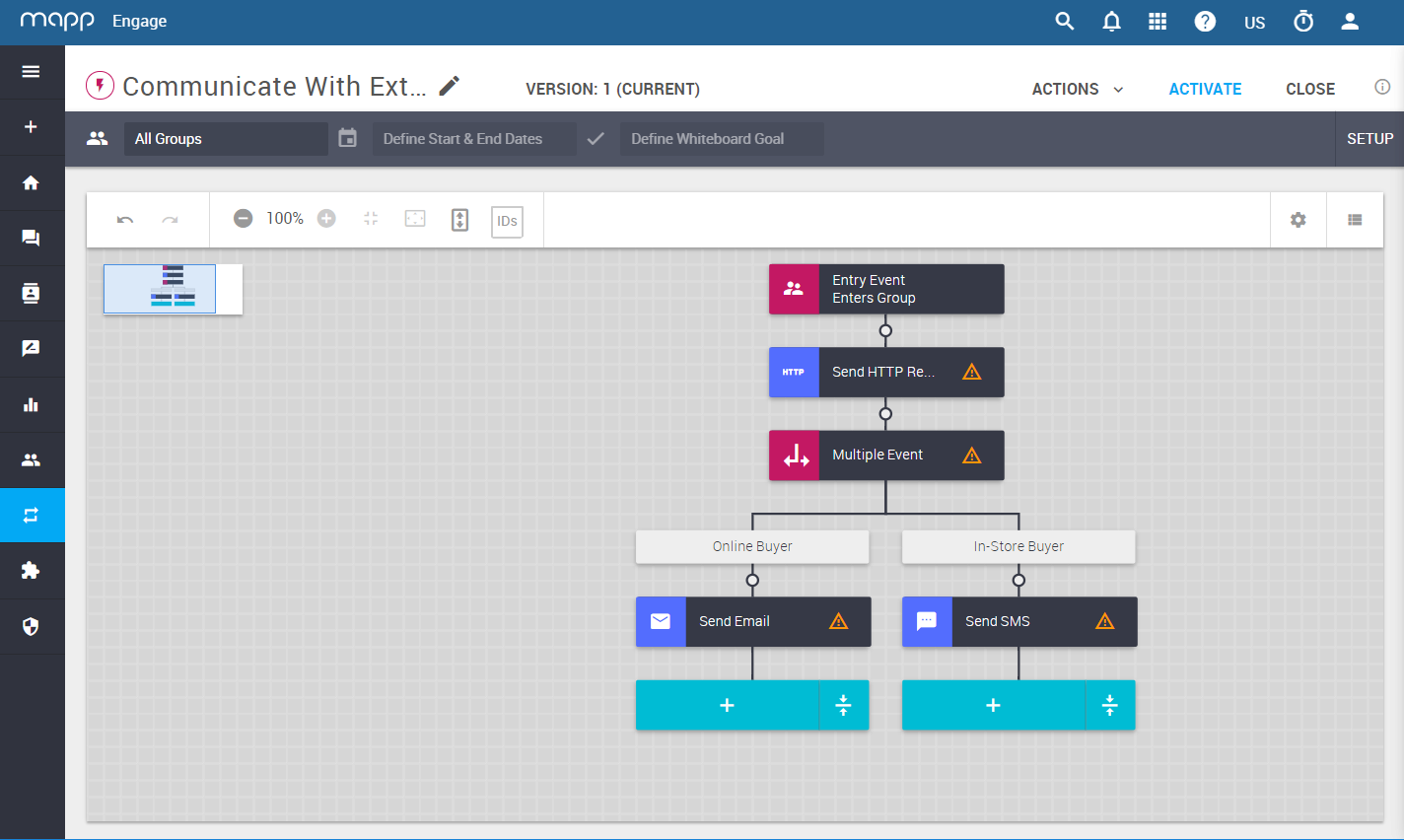
The Send HTTP Request option in Mapp's Whiteboard makes it possible for you to communicate with any API-based business tool you are using.
You can set up a Whiteboard that will exchange data between Mapp Cloud and your other business tools such as: CRM, eCommerce/Online-Shopping, CMS, ERP systems.
It can also communicate with other digital marketing platforms, email marketing solutions and social media. For example: Zapier, Google Sheets, Google Databases, Asana, Zendesk, data warehouses such as Snowflake or Fivetran (via Google Sheets).
Scenario
You want to differentiate follow-up actions depending in whether your contacts buy online, or in your local store.
Create a Whiteboard.
Set up an HTTP Request to identify your online versus offline buyers.
Get instant information from your CRM.
Build a differentiated customer journeys. For example, send discount coupons to use online, or in your local store.