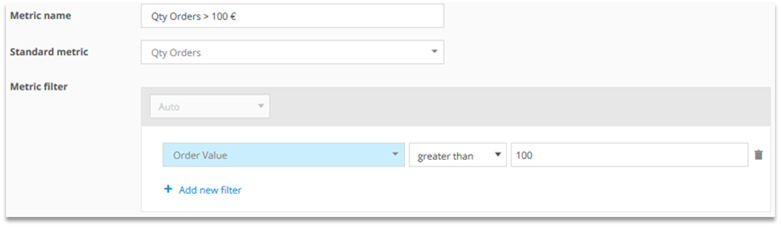
Standard metrics (i.e., „Visits“) can be filtered individually (e.g., „Visits with internal search“). These metrics are called „Custom Metrics“.
Where should the metric be available?
In all analyses and reports
If the metric should be available in all analyses and reports, the metric editor at Custom Figures > Custom Metrics must be used.
The permission to create custom metrics must be set in the user management.
This can be done at User Management > Roles and within a role at Rights Management > Configuration Access.
In a specific analysis or report
Predefined metrics can also be customized directly in analyses or reports. The customization is then only available in the analysis or report where it was configured.

1 Configuration
In the configuration, various adaptions can be made:
1.1 Dimension reference
By editing the dimension reference it can be determined, whether the metric should refer to the dimension of an analysis or not. This option is helpful for setting up custom formulas.
Checked: The metric refers to the analyzed dimension. This option is selected by default.
Not checked: The total amount in the chosen time period is shown.
Example: Visits with and without dimension reference in the pages analysis
Pages | Visits with dimension reference | Visits without dimension reference |
|---|---|---|
Home | 100 | 200 |
Visits with dimension reference: There were 100 visits on the page "Home".
Visits without dimension reference: There were 200 visits in total within the account.
1.2 Metric scope
The metric scope defines the metric‘s relationship to the dimension.
The predefined scope („Default Scope“) depends on the scope in which the dimension and the metric are calculated. Mapp Intelligence allows for extending these scopes.
Available scopes (strongest scope in bold):
Metrics | ||||||
|---|---|---|---|---|---|---|
Scopes | Direct (Atomic) | Action | Page | Visit | Visitor | |
Dimensions | Direct (Atomic) | Direct (Atomic) Action Page Visit Visitor | Action Page Visit Visitor | Page Visit Visitor | Visit Visitor | Visitor |
Action | Action Page Visit Visitor | Action Page Visit Visitor | Page Visit Visitor | Visit Visitor | Visitor | |
Page | Page Visit Visitor | Page Visit Visitor | Page Visit Visitor | Visit Visitor | Visitor | |
Visit | Visit Visitor | Visit Visitor | Visit Visitor | Visit Visitor | Visitor | |
Reading example for the metric „Page Impressions“ with different Metric scopes (strongest scope in bold):
Scopes | Metric "Page Impressions" (Standard scope Page) |
|---|---|
Dimension "Search Engine" (Standard scope Page) | Scope Page = Qty Page Impressions on the Landingpage Scope Visit = Qty Page Impressions within the whole visit Scope Visitor = Qty Page Impressions within the whole analysis time period |
Dimension "Browser" (Standard scope Visit) | Scope Visit = Qty Page Impressions within the whole visit Scope Visitor = Qty Page Impressions within the whole analysis time period |
The metric scope can be adapted in the configuration.
Example: Qty Orders per Search Engine
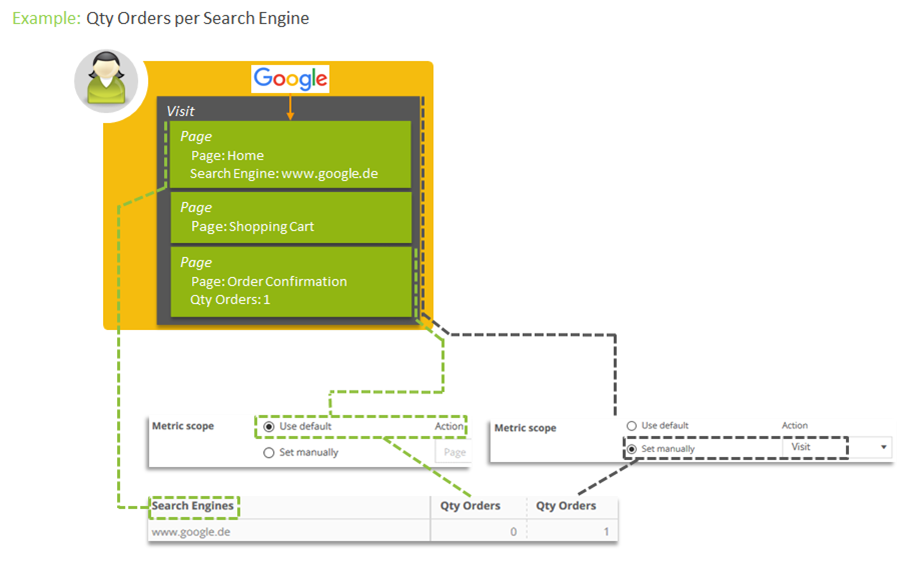
The metric scope "None" is the same as the default scope.
2 Use Cases
Examining origin
SEA traffic
How many visits were generated via the campaign channel SEA?

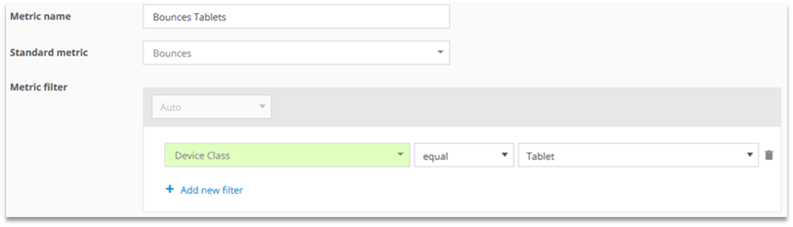
Bounces Tablets
In how many visits has a tablet been used an only one page been viewed?
Examining visit activity
Visits with more than 5 Page Impressions
In how many visits have more than 5 pages been viewed?

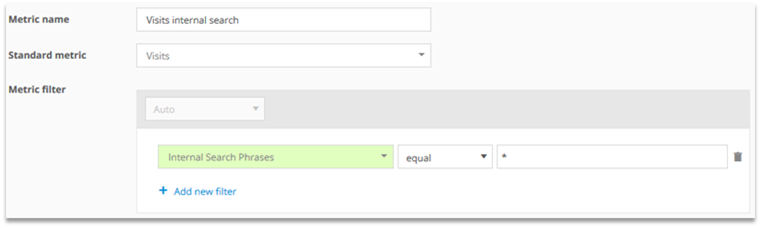
Visits internal search
In how many visits has the internal search been used?
Examining Products and Orders
Qty Product views via internal search
How often was a product viewed directly via internal search?

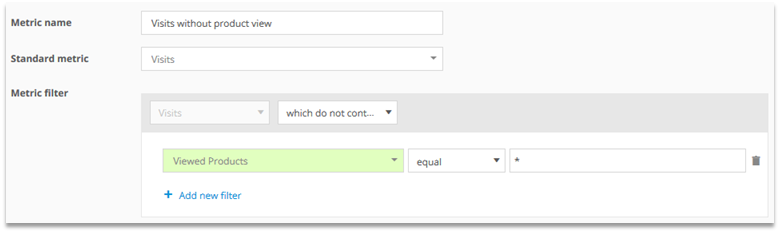
This is often the case if products are recommended when inputting a search term to the internal search.Visits without Product View
In how many visits there was no product view?
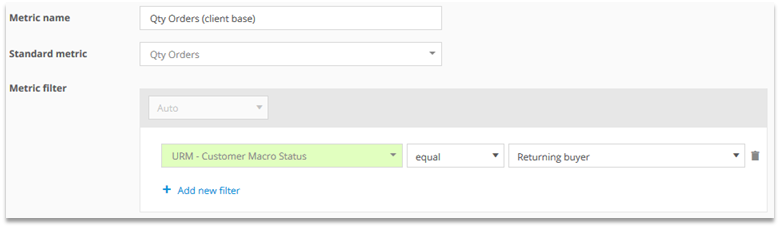
Qty Orders (client base)
How many orders were done by users who purchased before at least once?
Qty Orders > 100 €
In how many orders was the order value greater than 100 €?