Goal
Reuse an existing segment by importing it into a new or existing segment plan.
Background Information
Importing a segment allows you to reuse existing logic without recreating it.
This is useful when you have a segment that defines a core audience and want to build a new segment based on it with only minor adjustments.
When you import a segment, only its setup is copied. The imported criteria become part of the current segment plan and are fully independent of the original segment. Any later edits apply only to the version you are working on.
Procedure
Go to Audience > Segmentation > Segmentation Builder.
Open an existing segment plan or create a new one.
Add the criteria you need for the segment.
Add a new container by dragging New Container into the segment.
Click
 , then select Import segment.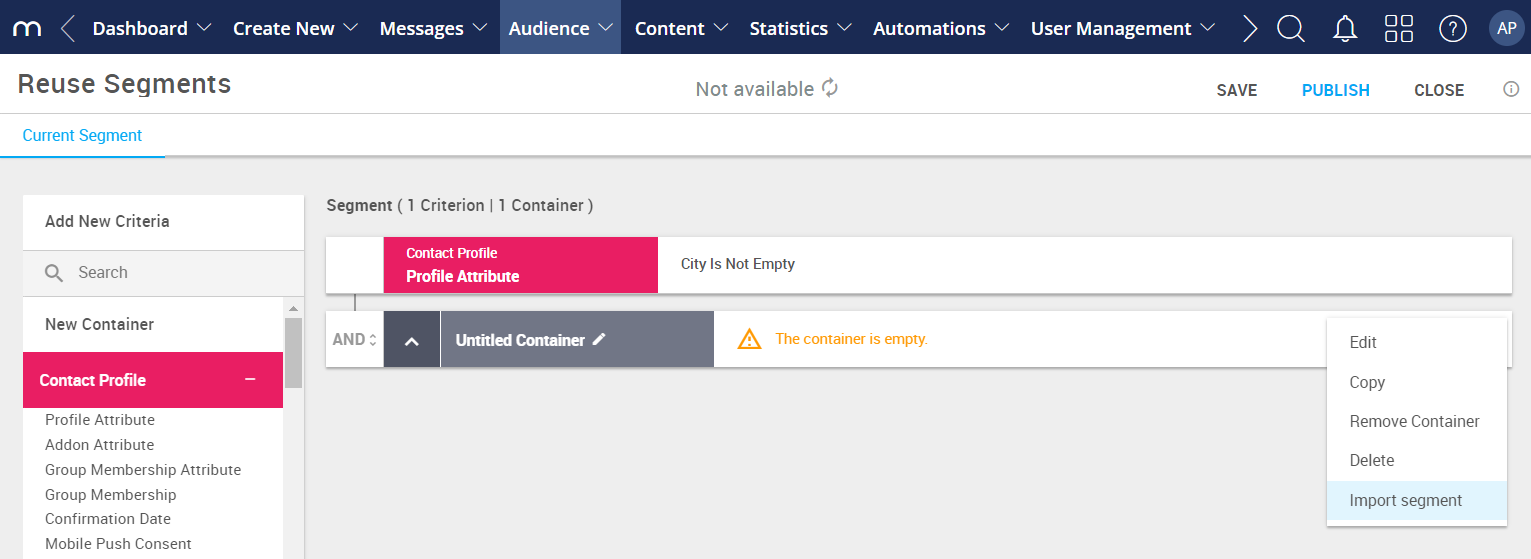
Select the segment you want to add and click Select.
Edit the imported criteria as needed.