Overview
Similar Items uses enriched product attributes to recommend alternatives with comparable characteristics. It helps customers find suitable options when a product is unavailable or when they want to explore related styles or price points.
Recommendations can be displayed on product detail pages, showing related alternatives with a similar look, fit, or price range.
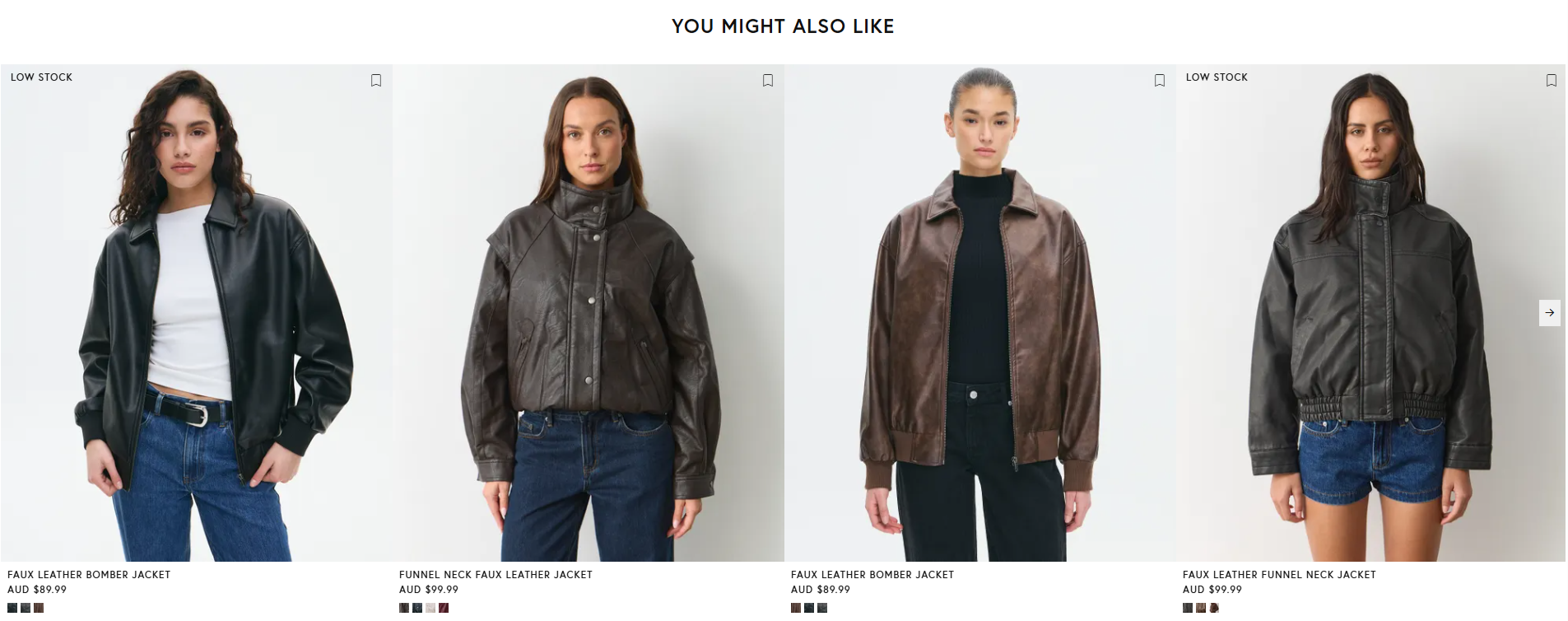
Example of Similar Items recommendations on a product detail page
Benefits
Attribute-Based Matching: Similar Items are powered by enriched product attributes, enabling more precise and style-aware alternatives.
Improved Product Discovery: Shoppers can quickly explore similar items tailored to their needs.
Reduced Bounce Rate: Relevant alternatives keep shoppers engaged and reduce early exits.
Higher Conversion Rates: Basket-aware and intent-aligned suggestions help drive additional purchases.
Flexible Implementation: Use prebuilt widgets for fast setup or the API for full control.
Integration
Setup by Mapp
In preparation, Mapp’s Recommender Team defines the similarity logic that determines which products qualify as suitable alternatives. This includes evaluating enriched product attributes to identify items with comparable characteristics. These rules ensure that Similar Items consistently aligns with the brand’s assortment and recommendation strategy, without requiring any manual configuration on the client side.
Requirements
You provide your product data and your order and return data, delegate a domain, and set up tracking with the Smart Pixel. If you use the hosted widget, you also provide design assets and a container element on the page. For the complete list, see the column Similar Items in the Prerequisites Matrix.
Display Options
Choose how the recommendations appear on your website:
Hosted widget: Mapp Fashion renders the recommendations and records interactions. See Similar items in Widget Types and Configuration.
Smart Pixel retrieval: The Smart Pixel requests the recommendations, and you render them in your own frontend. See Recommendation Items.
Server-side API: Your server requests the recommendations. See /v2/items/similar.
If you render recommendations yourself, set up Recommendation Tracking so that clicks are recorded. For which identifier to pass, see Product and Customer Identifiers.
For all building blocks of an integration, see the Integration Overview.