Overview
Use this interface to review and manage rules that limit the number of messages a recipient can receive within a defined time period. These rules help prevent over-communication and support compliance with messaging policies.
Navigation Path
Messages > Limitations
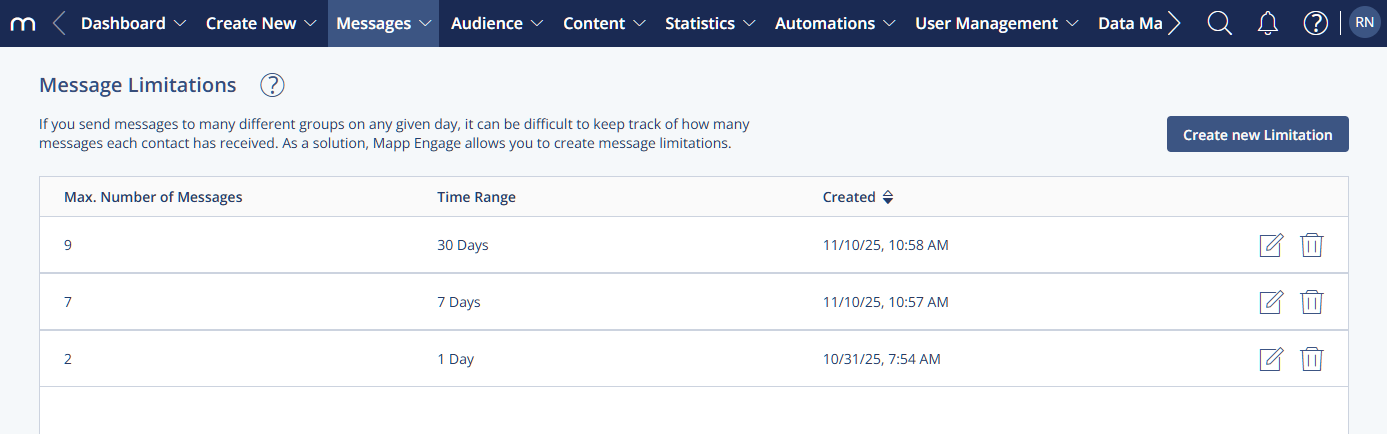
Settings
Setting | Description |
|---|---|
Max. Number of Messages | Displays the number of messages allowed, as defined in the rule. |
Time Range | Indicates the time period during which the limit applies. |
Creation Date | Shows when the rule was created. |
Actions
Action | Description |
|---|---|
Create new Limitation | Opens the creation view to add a new limitation. |
Edit | Opens an existing limitation for changes. |
Delete | Permanently removes a limitation. |
Note:
If multiple limitations apply to a recipient, the strictest rule is enforced.