Server-to-server tracking enables you to send tracking data directly from your own web server to the Mapp Intelligence tracking server — without relying on a visitor’s browser.
This method ensures reliable data collection, even if cookies or JavaScript are blocked, and gives you full control over data privacy and processing on your own infrastructure.
How It Works
Normally, the Mapp tracking pixel in the browser sends a small image request to the Mapp tracking system. This request includes all relevant information about the current page, user agent, referrer, and cookies.
With server-to-server tracking, the data does not come from the browser. Instead, your own web server collects or receives this information and sends it to Mapp Intelligence via a direct HTTP request. The browser never communicates with Mapp directly — the tracking request is handled entirely on your servers.
Tracking Variants
1. Synchronous Pass-Through (without tracking script)
In this setup, no tracking JavaScript is executed on the client side.
Your web server sends all relevant information directly to Mapp Intelligence — for example, the visitor’s IP address, the current page URL, and the referrer.
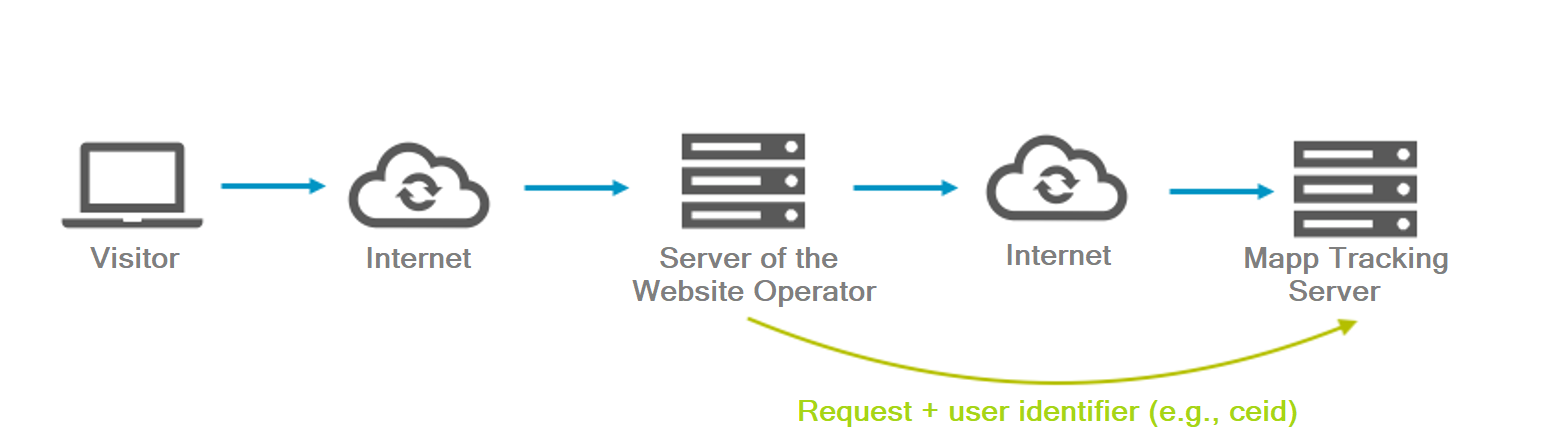
This method ensures that no client-side scripts influence the page display or performance. However, it provides only a limited amount of information, since browser-specific data like screen size or Java activation cannot be collected.
2. Synchronous Pass-Through (with tracking script)
Here, the tracking pixel is used on the client side, but the requests it creates are sent to your server first. Your server then forwards these requests to the Mapp tracking server and sends the response back to the client.
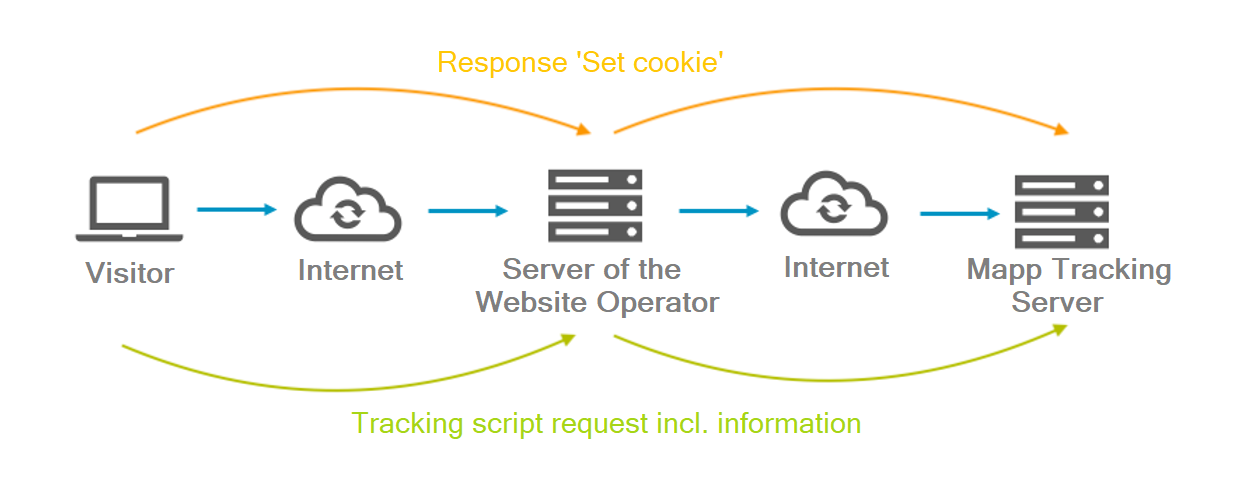
This approach gives you all the advantages of full browser-based tracking while keeping control over the data flow. It requires slightly more server resources, since each request passes through your system.
3. Asynchronous Pass-Through
In this version, your server sends the collected tracking information to Mapp Intelligence asynchronously — that is, independently from the page request of the user. The server can respond to the visitor immediately, while the tracking request is sent to Mapp in the background.
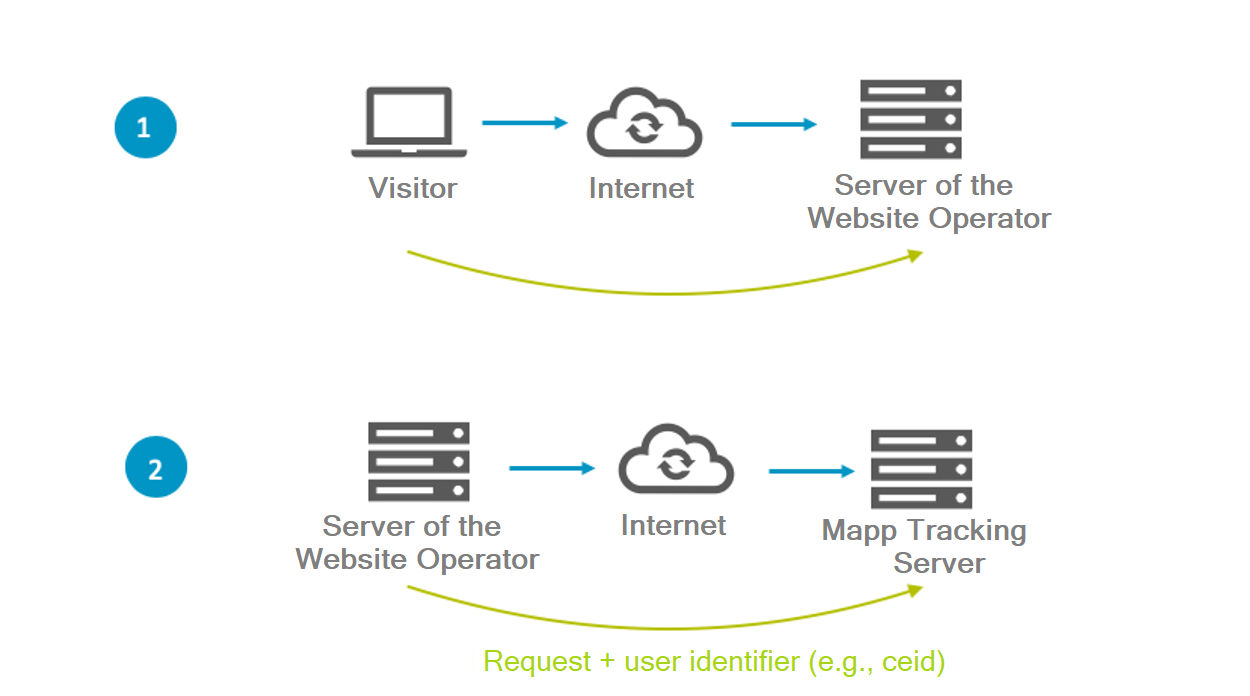
This ensures that the website’s performance remains unaffected. It is particularly useful for high-traffic sites or for systems that collect data in logs and process it later in batches.
4. Library-Based Tracking
Instead of forwarding browser requests, you can use one of Mapp’s server libraries (for example, Java, PHP, or Node.js) to build and send tracking data directly from your backend system.
This setup is ideal when you want to track backend-driven actions such as order confirmations, application processes, or shipment updates. The libraries handle data formatting, encoding, and transmission to the Mapp tracking server automatically.
Information Passed to Mapp Intelligence
In client-side tracking, the browser automatically provides key information such as user agent, referrer, and IP address.
In server-to-server tracking, your system must include this information explicitly in the request so that Mapp Intelligence can correctly identify sessions and visitors.
This includes:
User agent (X-WT-UA)
Referrer URL (X-WT-RQ)
IP address (X-WT-IP)
All values must be UTF-8 encoded.
See Specific Parameters for detailed examples.
Visitor Identification
To recognize returning visitors and maintain session continuity, Mapp Intelligence uses the ever ID (eid). If this ID is not available, sessions are matched based on user agent and IP address.
You can also provide your own identifier (ceid) if you manage user identities in another system.
See Session and Visitor Handling for more details.