Overview
The SMS Preview functionality lets users simulate how personalized SMS messages will appear to recipients. This helps ensure that placeholders, rules, and formatting are applied as intended before actual sendout. Users can also send a test SMS or download the preview.
Navigation Path
When creating or editing a message, click View.
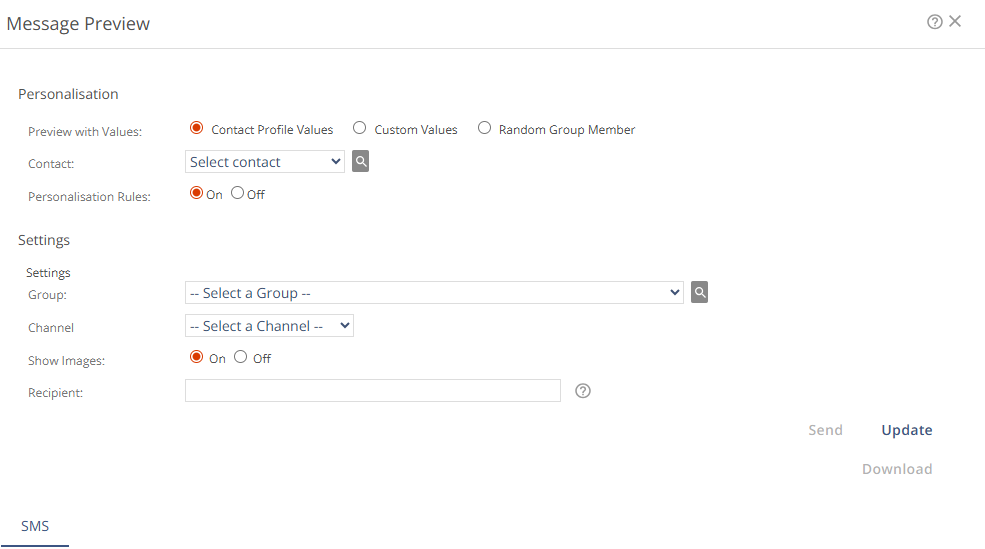
Personalization
Setting | Description |
|---|---|
Preview with Values | Defines the basis for the preview, either an existing contact, custom attribute values, or a random contact.
|
Personalization Rules | Controls whether content is filtered based on personalization logic.
|
Settings
These settings give you more ways to use message preview.
Setting | Description |
|---|---|
Group | Selects a Mapp Engage group to simulate group-specific content and message metadata in the preview. This includes the SMS header, such as the From Address, and any content elements that vary by group. This setting is only for group-related system messages (not global or system-only ones). |
Show Images | Not applicable for SMS. |
Recipient | Enter a mobile number to send a test SMS. Make sure to include the country code. |
Actions
Action | Description |
|---|---|
Send | Sends the preview SMS to the number entered in Recipient. Useful for testing personalization display. |
Update | Applies new attribute values or settings to refresh the message preview. |
Message Check | Not applicable for SMS. |
Download | Downloads the message preview as an |