Overview
This example shows how email targeting can be adjusted based on the recipient’s email domain.
It applies to segmentation using profile attributes in Mapp Engage and is commonly used in deliverability or content differentiation scenarios.
Domain-based targeting allows marketers to adapt messaging strategies for different recipient environments.
Example setup
A marketer wants to adapt email communication for recipients using specific email domains.
Instead of applying the same content and strategy to all recipients, the setup identifies contacts based on their email domain. This allows domains to be included or excluded from specific sendouts or to receive adapted content when required.
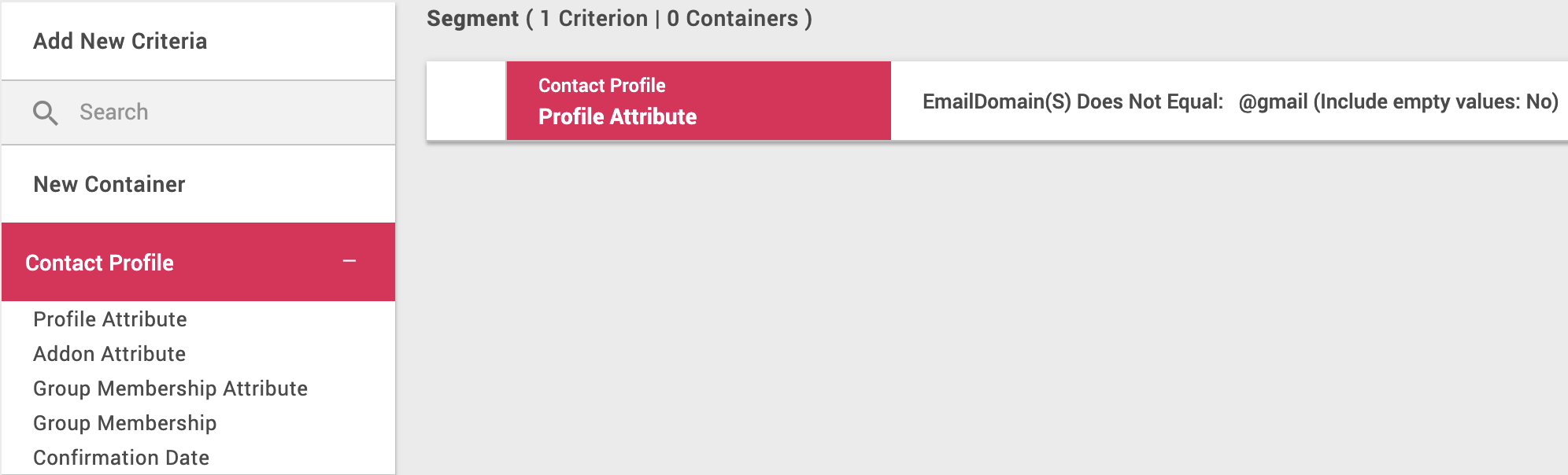
The following screenshot shows a finished segment that filters contacts based on their email domain.
Steps
Create a segment using Contact Profile > Profile Attribute.
Select the Email Domain attribute.
Define the condition to include or exclude specific domains (for example, does not contain @gmail).
Use the segment to adjust sendouts or content variants based on domain-specific requirements.
Notes
Email Domain(s) is a system-generated standard profile attribute that is automatically derived from the contact’s email address and does not require custom attribute setup.
Email domain–based segmentation is typically used for deliverability control or content adaptation, not as a standalone engagement strategy.
Domain behavior can change over time and should be monitored regularly rather than treated as static.