Overview
The Summary step provides a final review before sending your AMP email. You can check each part of the message flow—Info, Build, and Delivery—for accuracy, preview the message content, and confirm sendout details.
Navigation Path
During email creation, follow the message creation process until you reach Summary.
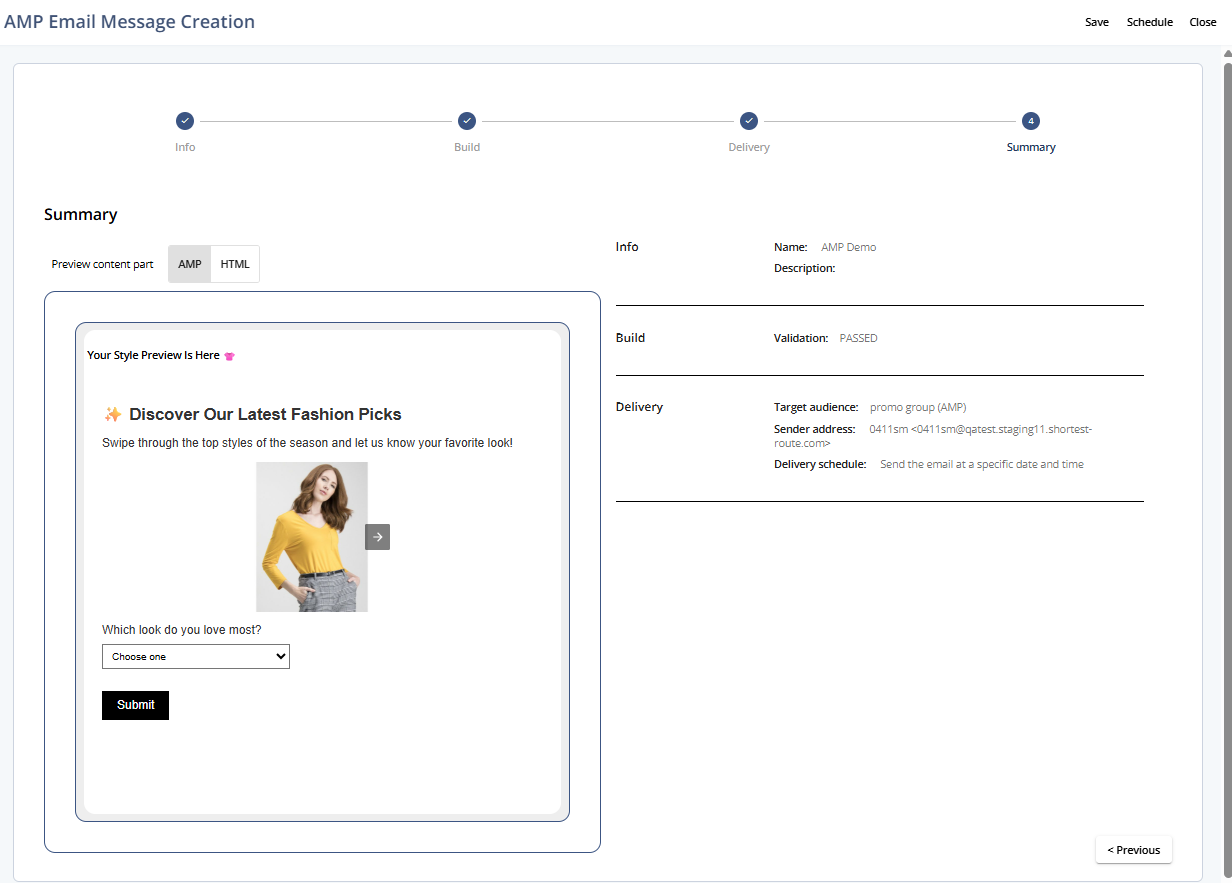
Summary
Setting | Description |
|---|---|
Preview content part | Displays a preview of the AMP and fallback content. |
Info | Shows the message name and description defined in Step 1. |
Build | Displays the validation status of your AMP and fallback content from Step 2. |
Delivery | Summarizes your delivery settings, including the selected audience, sender address, and scheduled send time. |
Actions
Action | Description |
|---|---|
Save | Saves the message configuration without sending it. |
Schedule | Schedules the message for sendout based on your delivery settings. |
Close | Closes the message editor without saving changes. |
Previous | Returns to Step 2 - Build. |