When the Debugger is installed and activated, it starts capturing tracking data.
This page explains the request list, how requests are displayed, and how you can adjust the way they appear.
List of Requests
Every outgoing tracking request is displayed in a list.
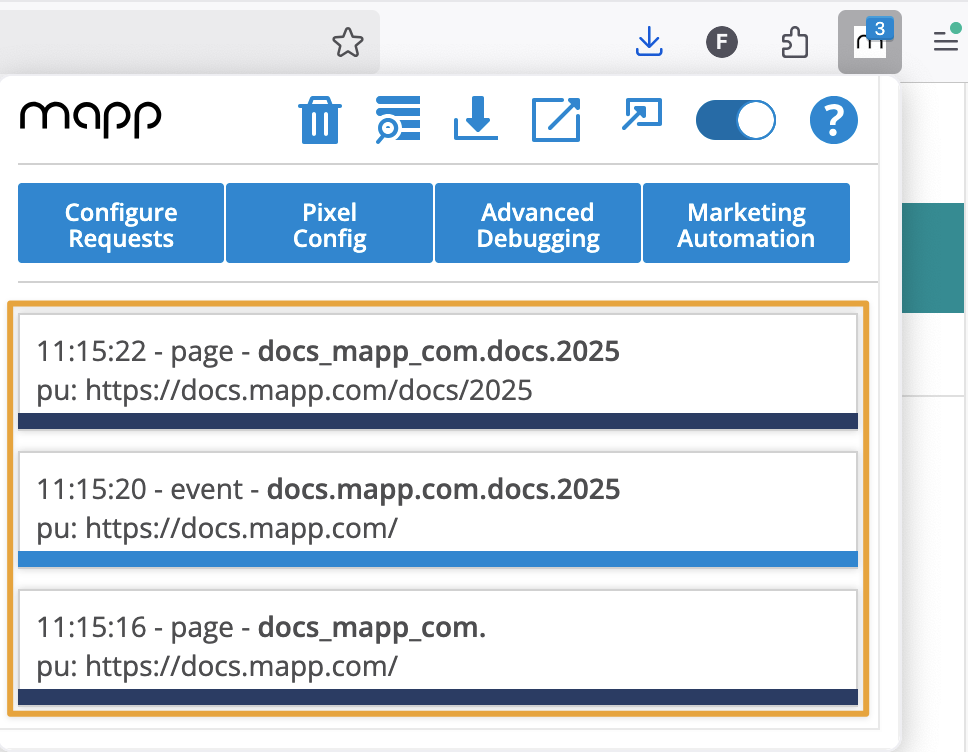
By default, the list shows the following meta information for each request:
Timestamp: When exactly the request was sent
Type: The request type, such as Page or Event
Name: The value of the request, e.g. the actual page name for a Page request
In addition, one or more parameters can be displayed in the list.
By default, this is the parameter PU, which shows the page URL.
You can replace PU with another parameter (e.g. cg1) in Configure Requests if you want to monitor it directly in the overview.
.png)
Example of a request with meta information and parameter data
If you click on a request, you can see all the parameters that were transmitted.
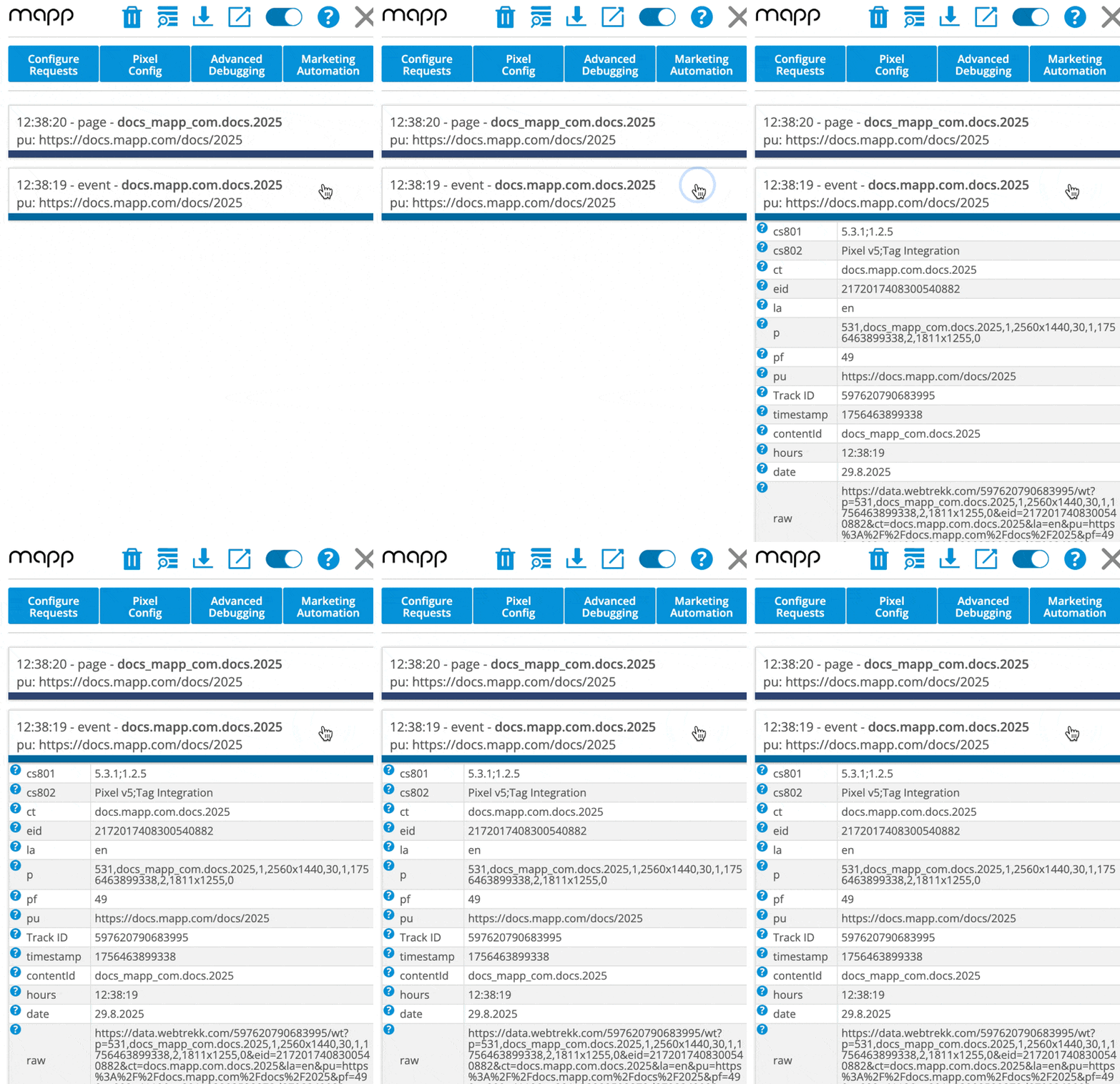
Many parameters in the Debugger include a built-in description. You can open this description using the tooltip displayed via the question-mark icon next to the parameter. These tooltips explain the purpose of predefined parameters and show how they appear in Mapp Intelligence.
However, not all parameters include a tooltip. This applies to all custom parameters, whose meaning is defined individually in each implementation. Custom parameters can appear with different prefixes depending on the parameter type, for example:
cp (Page Parameters)
ck (Event Parameters)
cs (Session Parameters)
cc (Campaign Parameters)
cb (E-Commerce Parameters)
ce (Independent Parameters)
For custom parameters, the Debugger can only display the parameter ID and the transmitted value, because their purpose is not predefined.
To understand what a custom parameter represents in your account, open:
Mapp Q3 > Configuration > Custom Parameters > (corresponding parameter type)
There you can see:
the parameter name,
its datatype,
and its intended purpose,
so you can link the raw parameter ID shown in the Debugger to the dimension or metric used in Mapp Intelligence.