Overview
The Create Web Channel flow guides you through setting up a new web-based channel. It follows a multi-step process that collects basic channel information, configuration details, and a final summary before activation.
Navigation Path
Administration > Channels > Web > Create Web Channel
Configuration
The creation flow consists of three steps that must be completed in sequence.
Step 1 - Info
This step defines the basic channel information.
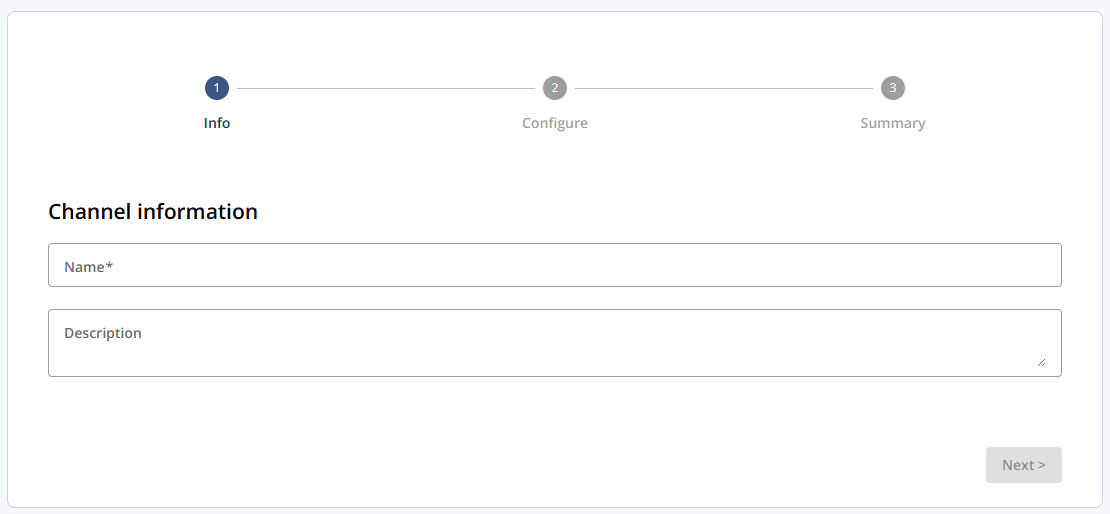
Settings
Setting | Description |
|---|---|
Name | The name of the channel. This field is required. |
Description | An optional description to help identify the channel. |
Step 2 - Configure
This step defines channel-specific configuration details.
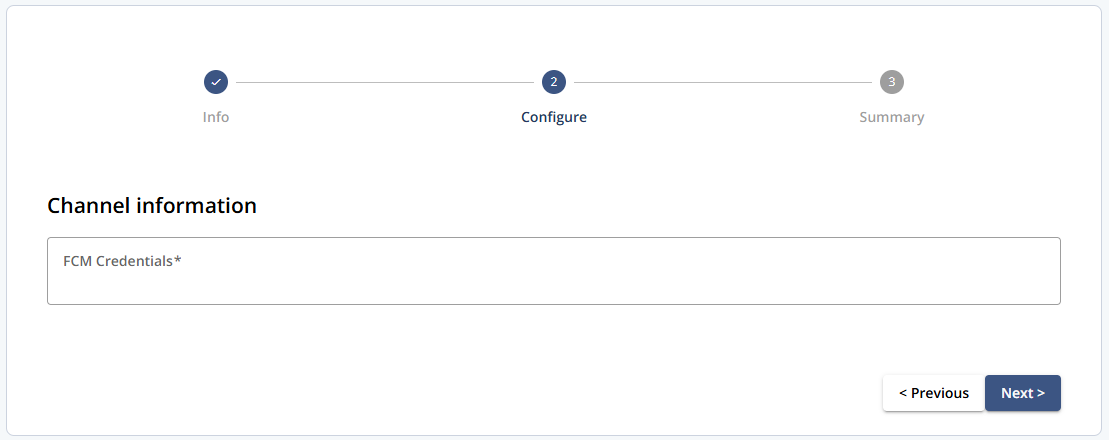
Settings
Setting | Description |
|---|---|
FCM Credentials | Required credentials for the web channel. The credentials must be provided before the channel can be activated. |
Step 3 - Summary
This step provides a read-only overview of all information entered in the previous steps. From here, the channel can be activated or saved for later completion.
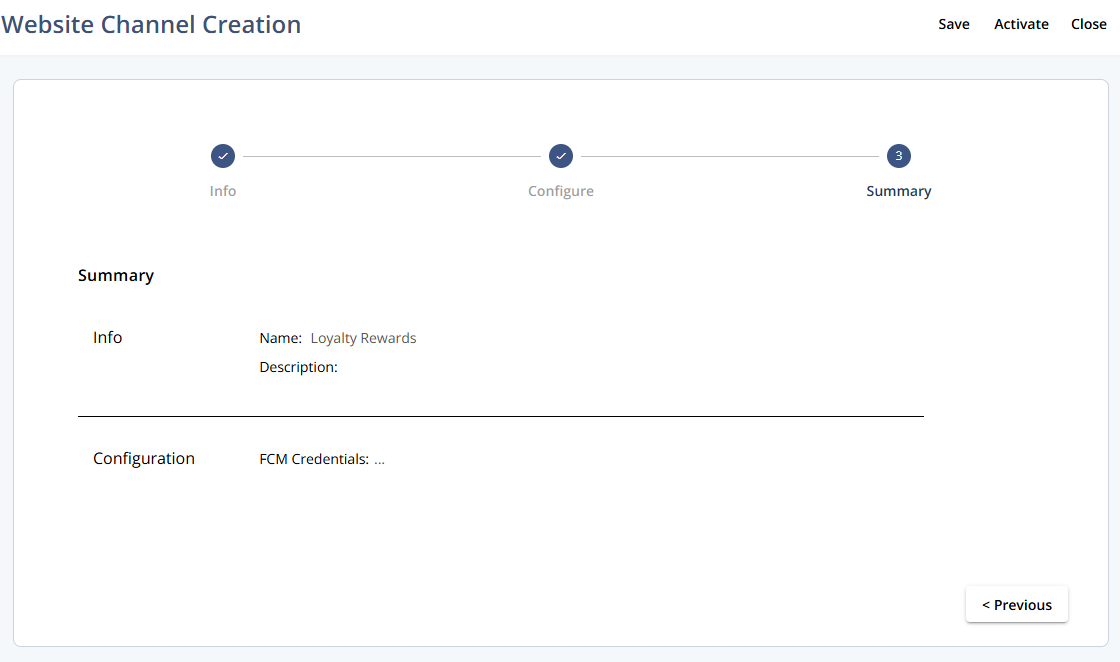
Actions
Action | Description |
|---|---|
Save | Saves the current configuration and keeps the channel in its current state. |
Activate | Activates the channel if all required information is complete. |
Close | Closes the creation flow without activating the channel. |