Data is entered using an event parameter. First, you have to create this event parameter in Q3:
Carry out the following steps:
Log in to your Q3 account.
Go to Configuration > Custom Parameters > Event Parameter.
Click Create new custom parameter. You are forwarded to the specification dialog for custom parameters.
Make the following settings:
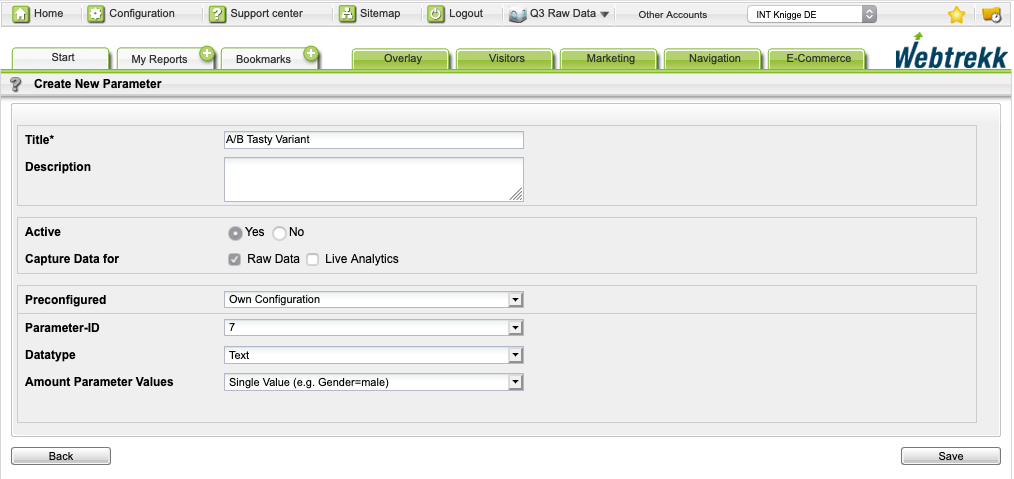
Parameter
Description
Title
Enter the title of your choice.
Description
Optional. Enter a short description.
Active
Activate the parameter with the corresponding radio button.
Preconfigured
Select from the dropdown menu:
Own configuration
Parameter ID
Select from the dropdown menu the required ID, for example, "7".
Data Type
Select from the dropdown menu:
Text
Amount parameter value
Select from the dropdown menu:
Single value
Click Save to save your settings.