---
title: "Message Creation: Type (HTML Email)"
slug: "email-message-creation-type"
description: "Reference for step 1 of creating an HTML email in Mapp Engage: message name, description, external message ID, and tags."
status: "update"
updated: 2026-11-06T11:40:45Z
published: 2026-11-06T11:40:45Z
canonical: "docs.mapp.com/email-message-creation-type"
---
> ## Documentation Index
> Fetch the complete documentation index at: https://docs.mapp.com/llms.txt
> Use this file to discover all available pages before exploring further.
# Message Creation: Type (HTML Email)
## Overview
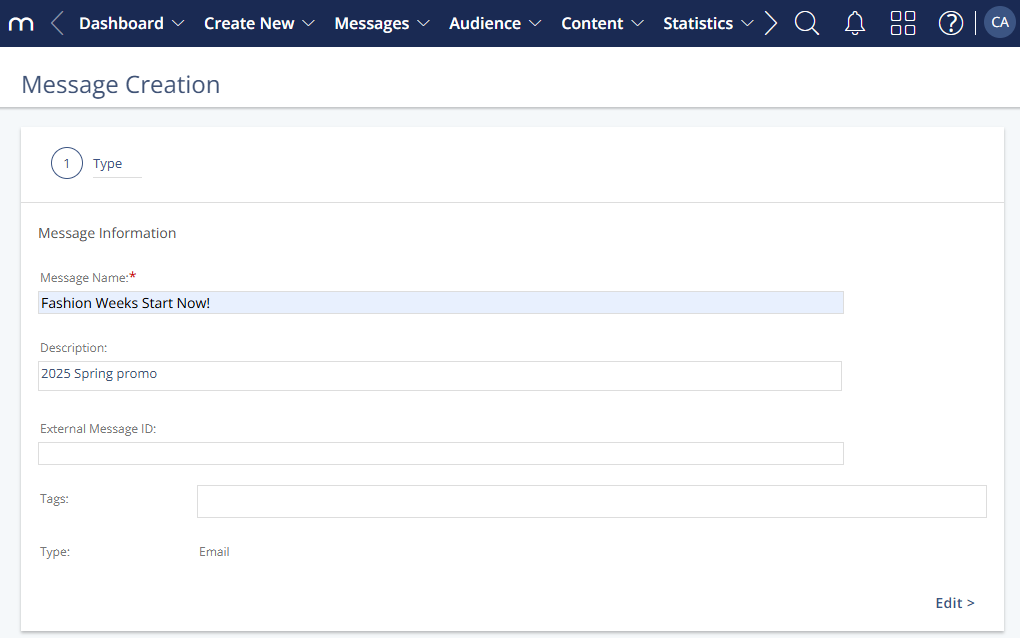
The Message Creation **Type** window allows you to define the basic information about your message, including the message name, description, and other elements that make it easy for you to identify the message within the Engage system.
For a conceptual overview of email message types and the overall email creation workflow, see the [Email Channel Basics](/v1/docs/email-channel-system-basics).
---
## Navigation Path
*Create New > Message > Email Message > HTML Email*
You can also access this page from existing messages:
- *Messages > Draft Messages > Email > Edit*
- *Messages > Prepared Messages > Email > Edit*
## 
---
## Settings
The following table describes the available settings in the Message Creation **Step 1 - Type** window.
| Setting | Description |
| --- | --- |
| Message Name | This field defines the name of the message within the Mapp Engage System. |
| Description | An optional internal description for you and your team. |
| External Message ID | A unique value added to links during message sendout. It is used to pass message information to external systems (e.g., web analytics or e-commerce platforms) for tracking and performance analysis. |
| Tags | Add internal tags to the message for better organization. Each space starts a new tag. Commas are not allowed. |
| Type | Email is already preselected and the field cannot be edited. |
---
## Actions
The following actions are available in the Message Creation window:
| Action | Description |
| --- | --- |
| **Edit** | Goes to **Step 2 - Content**. |