Goal
Limit how many contacts a segment can return.
Background Information
Limiting the number of contacts helps you control message volume, for example when planning staggered sendouts or managing channel-related costs. Segment size limits can be applied to Email, SMS, and In-App.
Procedure
The following animated GIF demonstrates the steps described below.
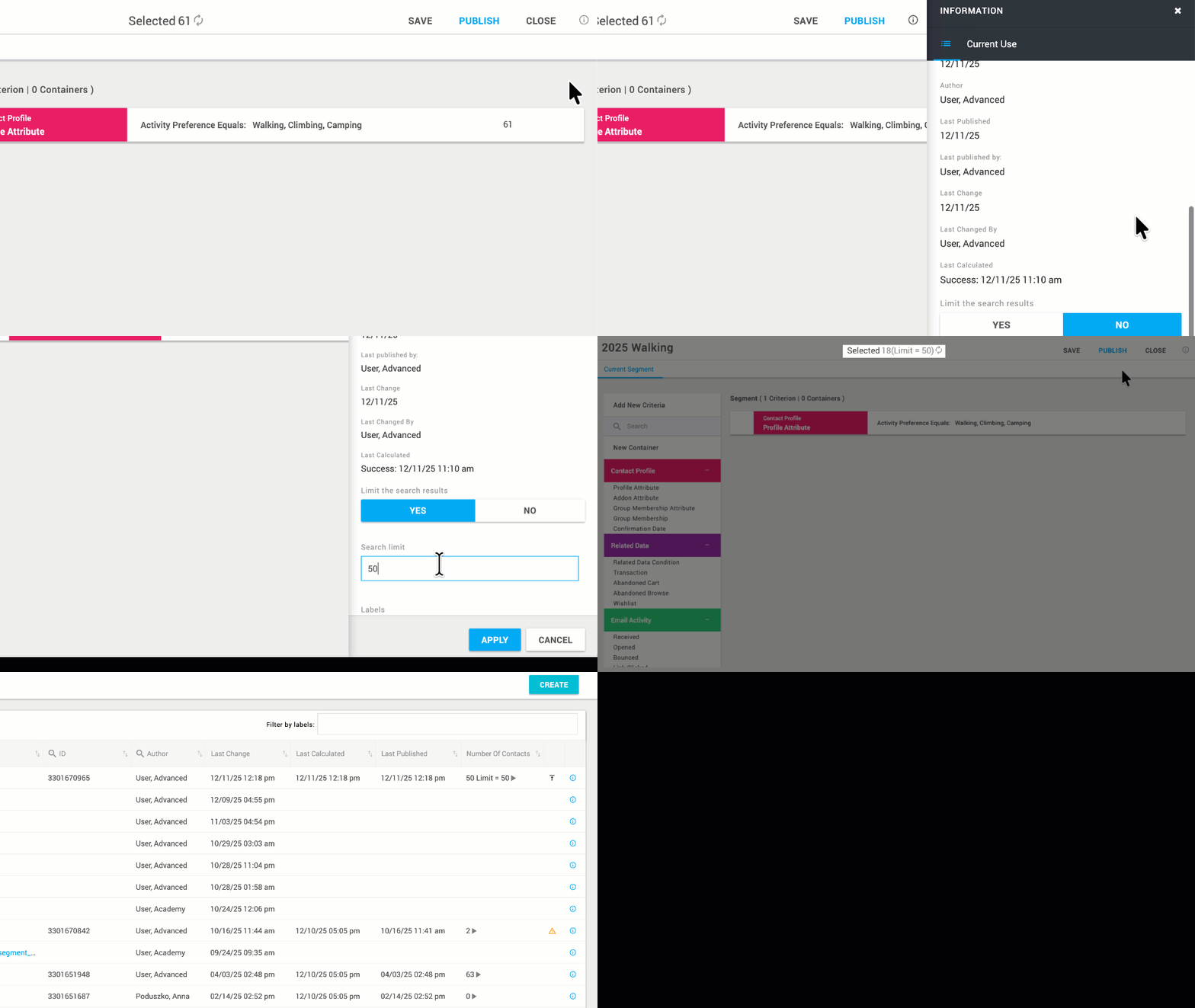
How to limit the number of contacts in a segment
Open the segment you want to edit.
Click the information icon to access the segment settings.
Under Limit the search results, select Yes.
In the search limit field, enter the required number, for example “50”.
Click Apply.
Segments with an active limit are identified by the limit icon in the Segments overview.