Overview
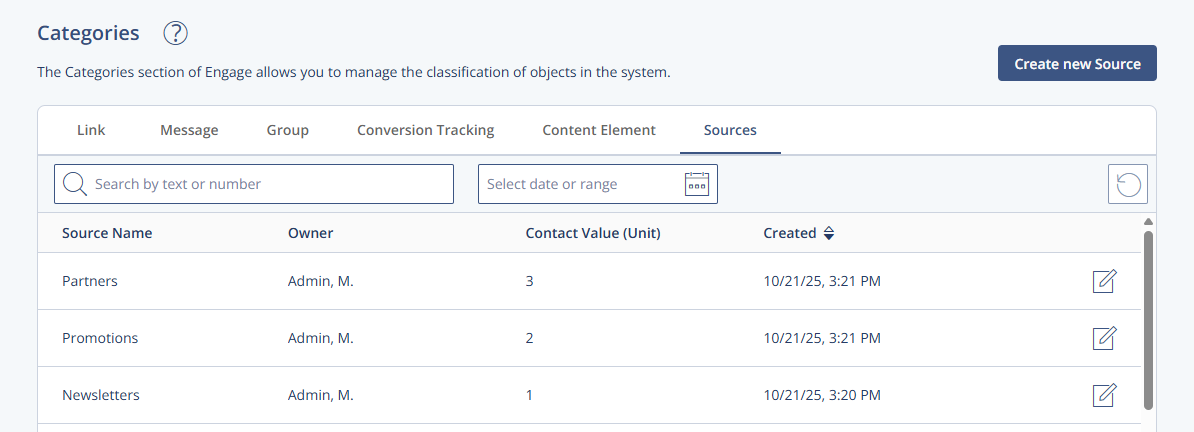
The Sources overview lists all internal and external sources used to track the origin of contacts in the system. It helps users monitor how many contacts were generated by specific campaigns, promotions, or external partners. Source data is also used in statistical evaluations to assess contact behavior across origins.
Navigation Path
Administration > Categories > Sources
Settings Table
Setting | Description |
|---|---|
Source Name | Displays the name of the internal or external source, such as a campaign, promotion, or sweepstake. Used to identify the source of generated contacts. |
Owner | Indicates the account holder responsible for the source. Helps assign ownership and accountability. |
Contact Value (Unit) | Shows the unit value of a generated contact associated with the source. Useful for ROI tracking and partner settlements. |
Created | Indicates the creation date of the source. Helpful for sorting and timeline-based evaluations. |
Actions Table
Action | Description |
|---|---|
Create new Source | Opens a creation view to define a new internal or external source. Includes name, owner, and related details. |
Edit | Opens the edit view for the selected source, allowing updates to all editable fields. |
Additional Information
For performance evaluation by source, refer to Source Statistics.
Sources can be reused across different contact acquisition methods.