To assign the previously created callback method to the plugin, a parameter must now be created that contains the method name of the created callback method.
To create a parameter, carry out the following steps:
In Tag Integration, select the "Parameters" entry in the main navigation. You will be forwarded to the overview of all available parameters.
Click [New Parameter]. The parameter configuration dialog opens.

Now enter the following information:
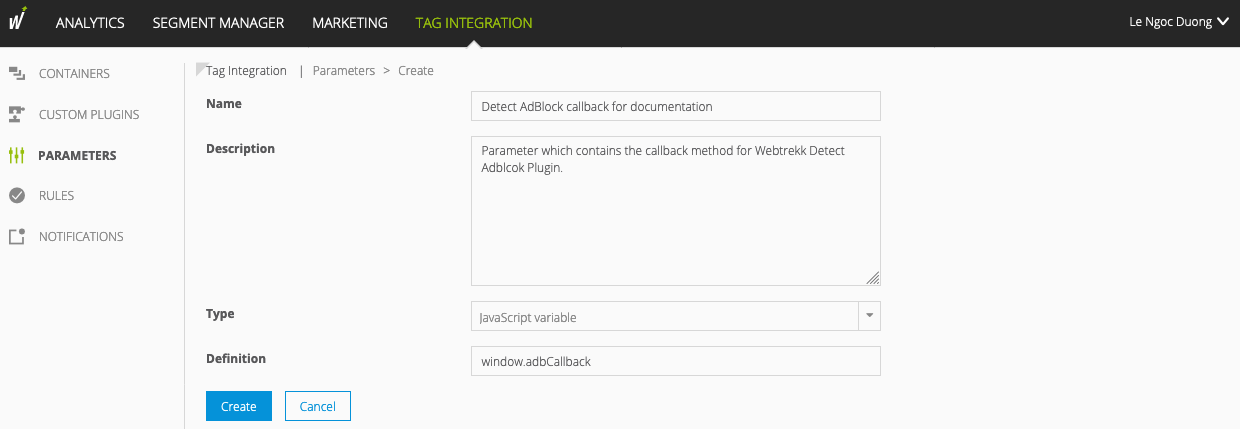
Parameter
Description
Name
Assign a name that helps you to find the parameter in your parameter overview more quickly.
Description
Optional. Enter a description for this parameter.
Type
From the dropdown menu, select the following entry:
JavaScript variable
Definition
Define where the "content" of the parameter is located in the DOM of your website.
Please make sure that you do not put any parentheses at the end of the parameter
Finally, click [Save]. The parameter is now available and listed in the parameters overview.