Overview
Web Channels provide access to existing web-based messaging channels and allow you to create, view, and manage channels used for web messaging. This overview explains the available channel properties and management actions.
Navigation path
Administration > Channels > Web
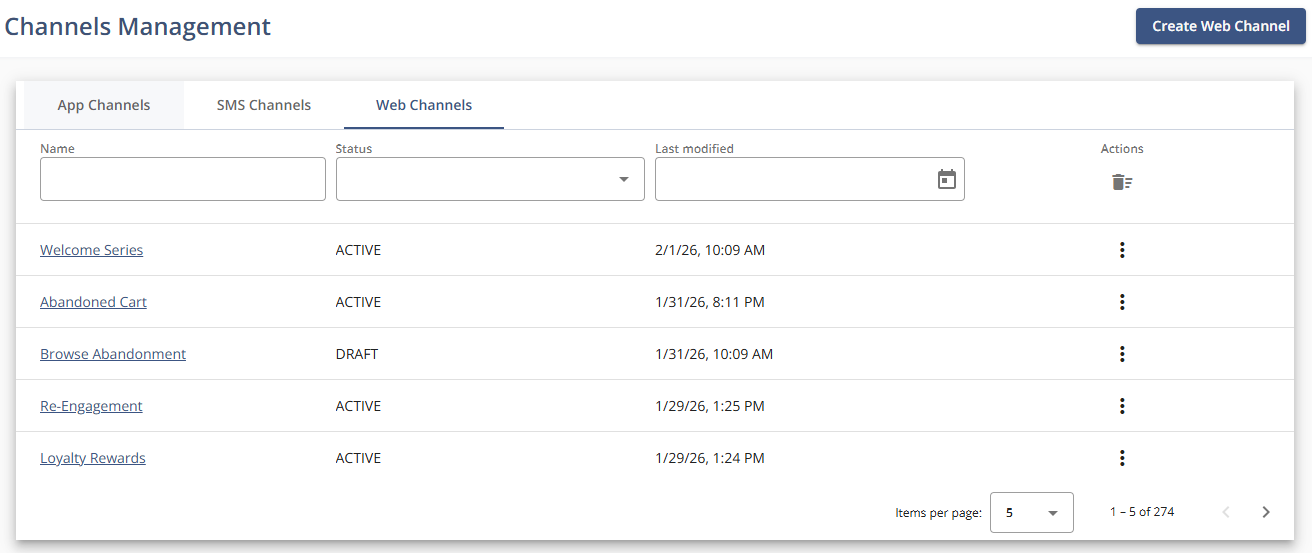
Settings
Setting | Description |
|---|---|
Name | The name of the channel. |
Status | The current state of the channel: “Draft”, “Active”, or “Inactive”. |
Last Modified | The most recent date and time when the channel was updated. |
Actions
Action | Description |
|---|---|
View | Opens the channel details in read-only mode. |
Edit | Opens the channel configuration for modification. |
Deactivate | Sets the channel status to inactive. |
Info | Displays additional channel-related information, including Channel ID, SDK Key, and FCM JSON. |