Overview
The System Transactions section provides access to imported transactional data used in eCommerce scenarios. It allows users to search transaction records, manually import data, define a default currency, and review the underlying transaction data structure. This data is typically used to track purchases and enhance eCommerce features.
Navigation Path
Administration > eCommerce > System Transactions
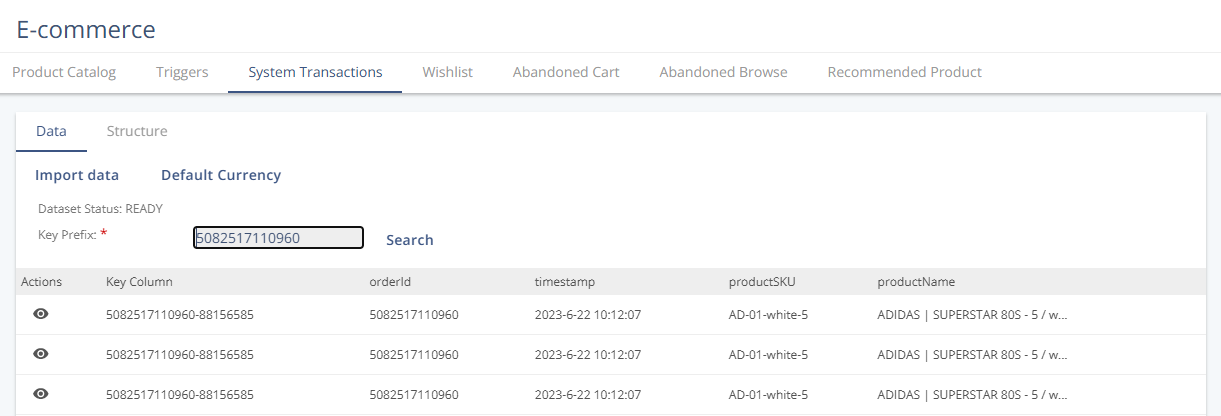
Data
Settings
Setting | Description |
|---|---|
Default Currency | Defines the currency applied to transaction data. The selected currency is saved and used as the default for relevant numeric values where no currency is explicitly provided. |
Actions
Action | Description |
|---|---|
Search | Looks up system transactions using a key prefix to filter the displayed records. |
Import data | Manually imports transaction data into the System Transactions dataset. |
Structure
The Structure tab displays the System Transactions data structure, including available fields and their properties.
Column Heading | Type | Required | Description |
|---|---|---|---|
| String | Yes | Identifier of the order associated with the transaction. |
| Date | Yes | Date and time when the transaction occurred. |
| String | Yes | Stock keeping unit of the purchased product. |
| String | Yes | Name of the purchased product. |
| Number | Yes | Product price at the time of purchase. |
| Number | Yes | Number of units purchased. |
| Number | No | Number of units returned. Default value is “0”. |
| String | No | URL of the product image. |
| String | No | URL of the product detail page. |
| String | No | Product category assigned to the item. |
| String | No | Brand associated with the product. |
| String | No | Product variant information. |
| String | No | Identifier of the store where the transaction occurred. |
| String | No | Currency code used for the transaction values. |
| Number | No | Absolute discount value applied to the product. |
| String | No | Source of the purchase. |
| Number | No | A percentage-based discount applied to the product. |
Key Column and Key-Value Structure
System Transactions use a key-value structure to uniquely identify each transaction record.
The key is a combination of:
orderIdcontactId(internal contact identifier)
This combination forms the key-value pair orderId-userId.
The resulting value is displayed as the Key Column in the transaction table. The userId or internal contactId is not shown separately in the table and cannot be edited or configured.
The Key Column is not part of the System Transactions data structure and does not appear in the structure table. It is used internally to identify transaction records and to enable searching transactions using a key prefix.