Overview
eCommerce triggers store the rules that evaluate Product Catalog changes for use in Whiteboard automations. This interface is used to configure trigger conditions, scope, and timing so that only relevant product updates are considered.
Navigation Path
Administration > eCommerce > Triggers > Create
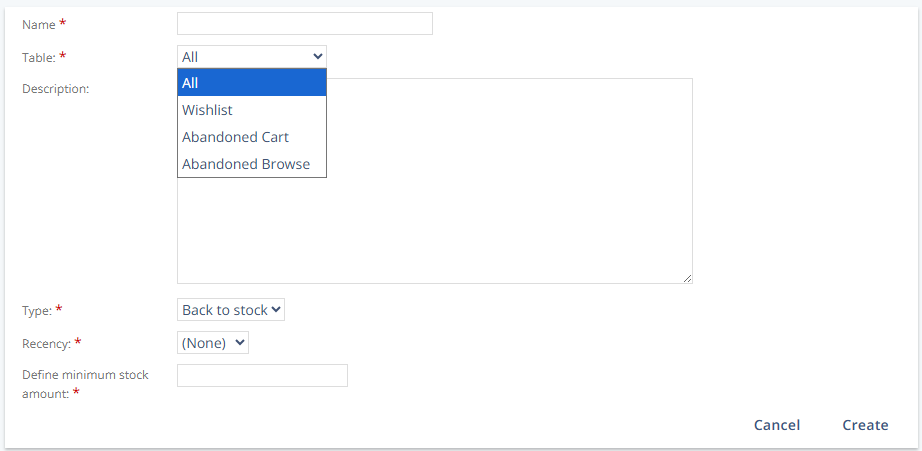
Settings
Setting | Description |
|---|---|
Name | Defines the internal name of the trigger. This name is used to identify the trigger configuration. |
Table | Specifies where the product must exist to be evaluated by the trigger. Available options are:
|
Description | Optional text that describes the purpose of the trigger. |
Type | Defines the trigger logic that is applied when product data is imported. Available types are
|
Recency | Limits trigger execution based on the age of the product entry in the Wishlist, Abandoned Cart, or Abandoned Browse. Items older than the selected value are ignored. Available values are “(None)”, “1”, “3”, “4”, “14”, “30”, and “90 days”. |
Define minimum stock amount | Defines the minimum stock threshold used by Back to stock and Low stock triggers. |
Note:
Triggers are evaluated only when product data is added to the Product Catalog.
Trigger configuration alone does not start an automation. A corresponding Whiteboard with a Product Catalog Event start event is required.