Mapp When Mapp adds your email address to our Portal, you will receive an automated email from “Customer Support” (jira@mapp.atlassian.net) inviting you to set up your account in the new Mapp Customer Support portal.
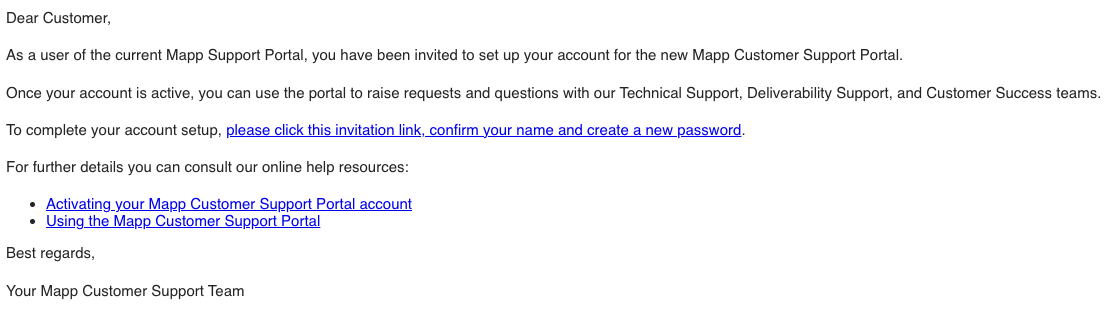
Clicking the invitation link, you will be taken to the portal which may display as either:
https://mapp.atlassian.net is Mapp’s temporary URL as https://support.mapp.com is still active on the existing portal
You will be prompted to enter your full name and a secure password in the Help Center form:
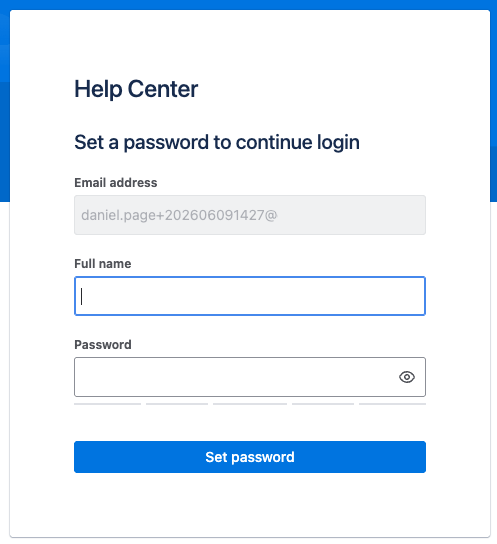
Enter your name and set a password. Once saved, you will be taken to the portal main page:
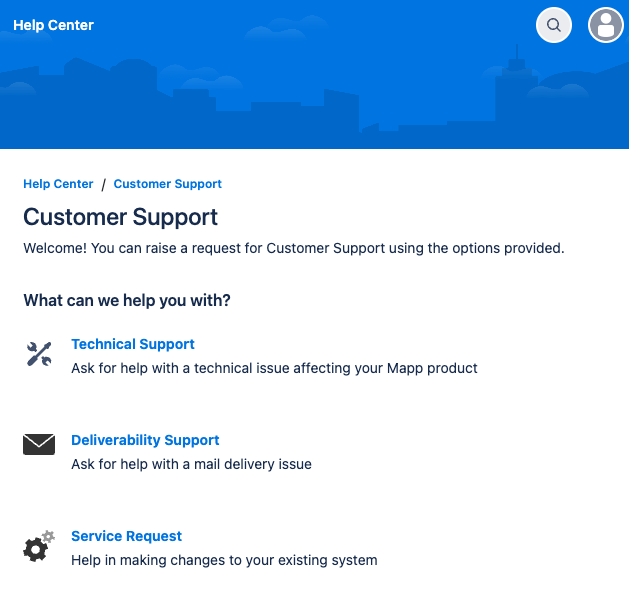
Click one of the 3 links to raise a corresponding ticket, for the Technical Support, Deliverability Support or a Service Request, and you will be prompted to fill out the request form.
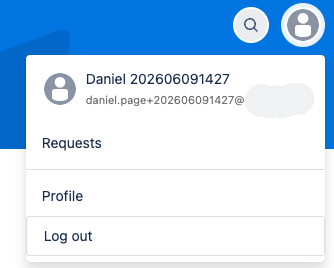
To manage existing tickets, at the top right of the page, you have a search button, and a profile button. Clicking on your profile icon, a popup menu appears that includes a “Requests” link, which will take you to your ticket list.
To see how you create or manage tickets in more detail, please see our “Using the Mapp Customer Support portal“ page.