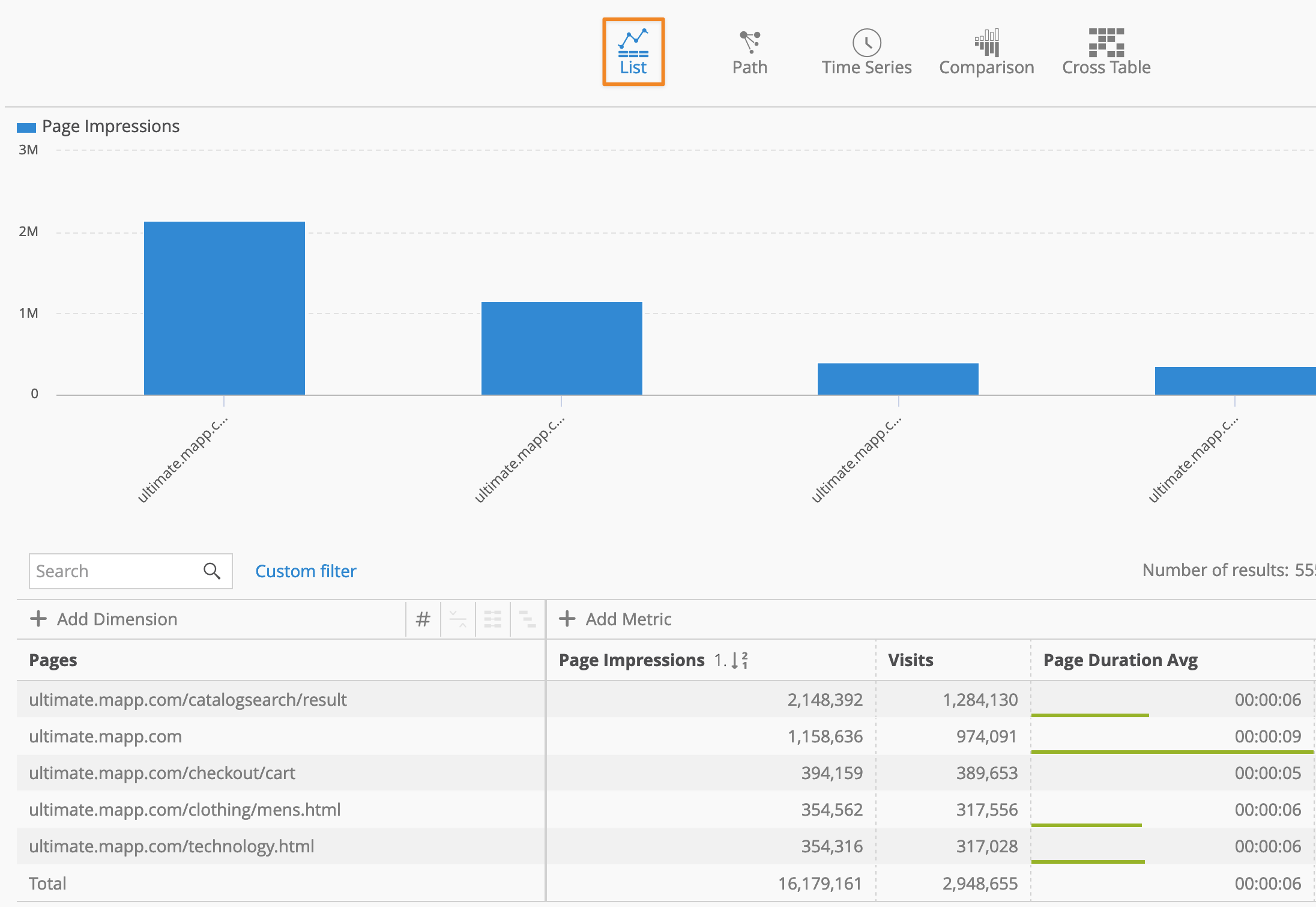
The List view is one of the most flexible and commonly used analysis variant in Mapp Intelligence. It’s often the default view when accessing an analysis, making it ideal for quick insights.
Key Features:
Default View: The List view is displayed by default when you open an analysis.
Single-Dimension Analysis: Use the List view to focus on one dimension, such as “Country” or “Product Category.”
Multi-Dimension (Pivot Table) Analysis: The List view can also support a Pivot Table configuration, enabling you to analyze multiple dimensions in a single table.
Dimension Flexibility: You can change or add dimensions directly within the List view.
Changing or Adding Dimensions: To expand your analysis, add additional dimensions. For detailed guidance on adding dimensions, check our guide here.
Example: Analyzing Pages
In this example, we will demonstrate how to use the List view for a Pages Analysis:
Open the Pages Analysis (Navigation > Pages > Pages)
The List view will be displayed by default, showing metrics such as “Page Impressions” and “Visits.”