Overview
Use this interface to view and manage locations.
Locations define the geographic areas used for geofencing. For an explanation of how geofencing works, see Geofencing.
Navigation Path
Audience > Location Management
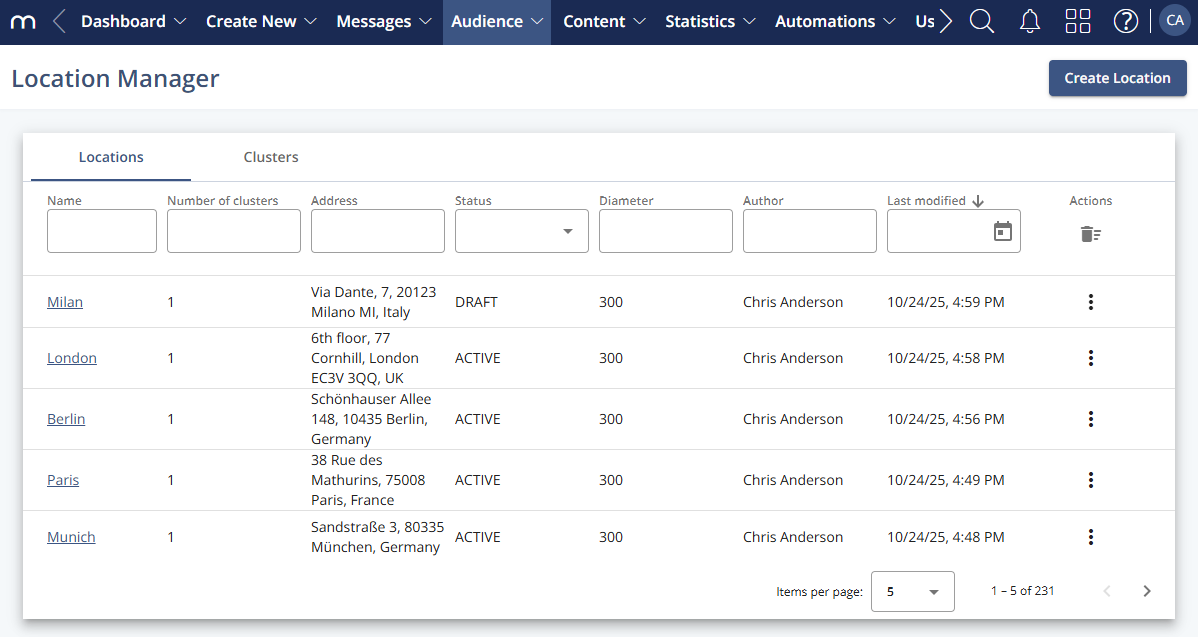
Table Columns
Column | Description |
|---|---|
Name | Location display name. |
Number of clusters | Count of clusters associated with the location. |
Address | Primary address for the location. |
Status | Current state of the location (e.g., "DRAFT," "ACTIVE", "INACTIVE"). |
Diameter | Diameter value defined for the location. |
Author | The user who created or last updated the location. |
Last modified | Timestamp of the most recent update. |
Actions
Action | Description |
|---|---|
Create Location | Starts creating a new location entry from the Locations list. |