Overview
Use this interface to create or import system-level blacklists for email addresses, mobile numbers, or domains.
Create a System Blacklist
Navigation path
Audience > Blacklists > System Blacklist
Select the target group from the drop-down.
Click Create.
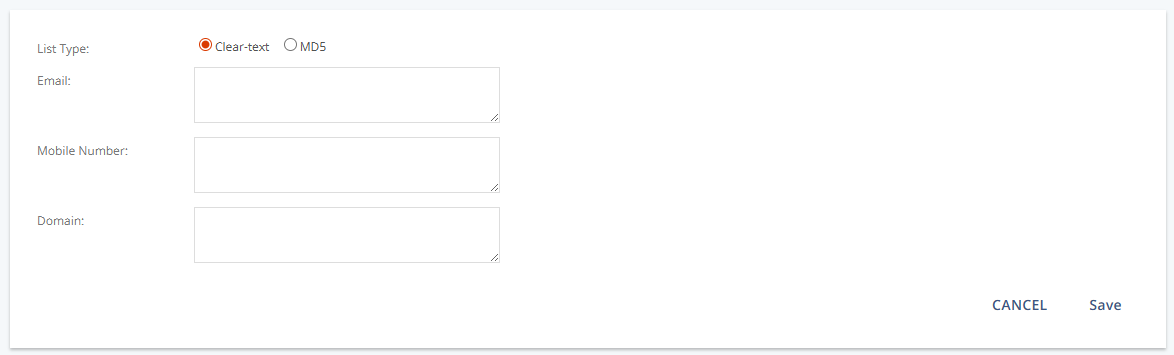
Settings
Setting | Description |
|---|---|
List Type | Choose “Clear-text” or “MD5”. |
Enter one or more email addresses. | |
Mobile Number | Enter one or more mobile numbers. |
Domain | Enter one or more domains. |
Actions
Action | Description |
|---|---|
Create | Opens the form to add blacklist entries for the selected group. |
Import a System Blacklist
Navigation path
Audience > Blacklists > System Blacklist
Select the target group from the drop-down.
Click Import.
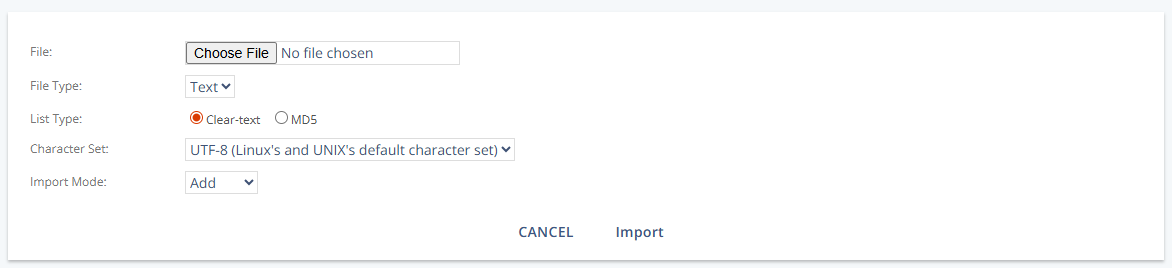
Settings
Setting | Description |
|---|---|
File | Select the source file to import. |
File Type | Select “Text”. |
List Type | Choose “Clear-text” or “MD5”. |
Character Set | Select the character encoding (for example, “UTF-8”). |
Import Mode | Select how entries are handled during import (for example, “Add”).Ac |
Actions
Action | Description |
|---|---|
Import | Opens the import form to upload blacklist entries for the selected group. |