Overview
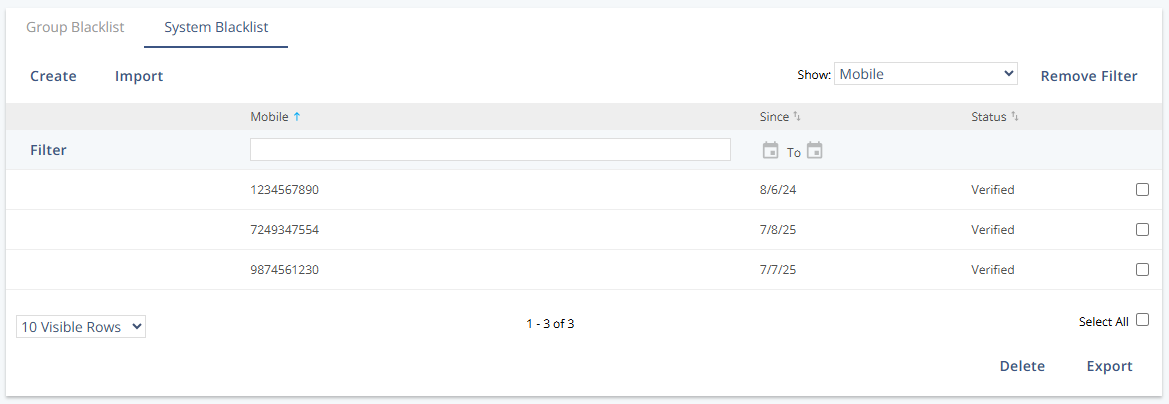
The System Blacklist interface displays all contacts globally blocked from communication in Mapp Engage. This includes blocked email addresses, mobile numbers, and entire domains. Managing this list ensures compliance and improves deliverability by avoiding problematic recipients.
Navigation Path
Audience > Blacklists > System Blacklist
Settings
Setting | Description |
|---|---|
Domain / Email / Mobile | Displays the specific address, number, or domain that is blacklisted. |
Since | Shows the date when the entry was added to the blacklist. |
Status | Indicates if the removal from all groups has been finalized: |
• Not Verified – Removal still in progress | |
• Verified – Complete and confirmed |
Actions
Action | Description |
|---|---|
Create | Manually add a single email, mobile number, or domain to the blacklist. |
Import | Upload a file to add multiple blacklist entries in bulk. |
Delete | Remove selected entries from the list. This does not restore previous group memberships. |
Export | Download the full list of blacklisted entries in CSV format for auditing or review. |
Additional Information
Blocking a domain (e.g.,
@spamtrap.com) will prevent all email addresses under that domain from receiving messages.Deleting an entry only removes the block — it does not reinstate the contact's previous subscriptions. Users must opt in again or be manually re-imported.
To maintain compliance and avoid errors, regularly review and clean your system blacklist.
Blacklisting is one of several ways a contact can stop receiving messages. For a complete overview, see How a Contact Stops Receiving Messages.