Available Transformations Types
Transformation Type | Description |
|---|---|
None | No transformation is applied. |
To upper case | Converts the source value to upper case. |
To lower case | Converts the source value to lowercase. |
Math floor | Rounds the source value down to the nearest integer. |
Timestamp | Converts the source value from a timestamp to a date and time string in the format “YYYY-MM-DD HH:mm” (UTC). |
Remove character(s) | Removes all instances of the specified character(s) from the source value. |
Custom | Executes a custom JavaScript function provided by you. |
Procedure
Go to Data Management > Mapp Connect and open the integration you want to edit.
Open the Mapping tab and click Edit next to the mapping you need to change.
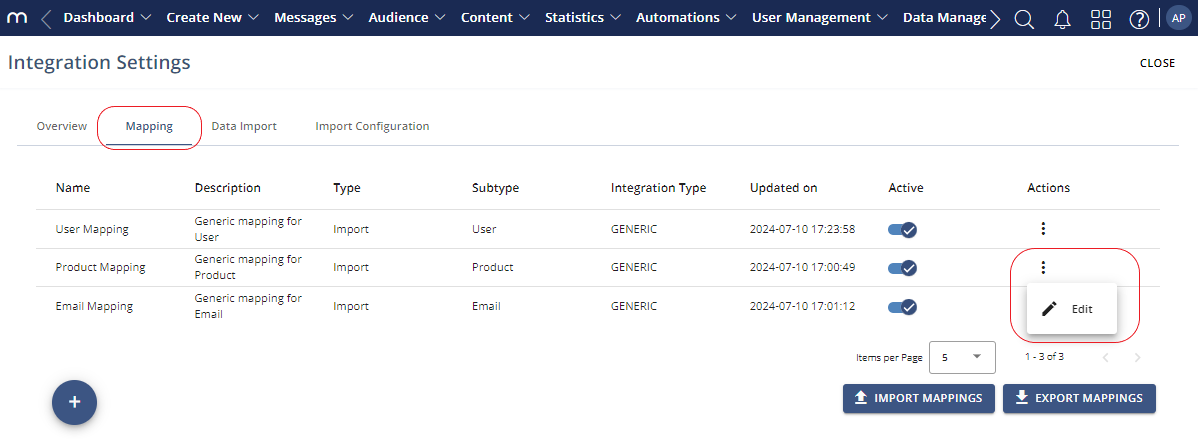
Click Edit Field Mapping.
.png "image(544).png")
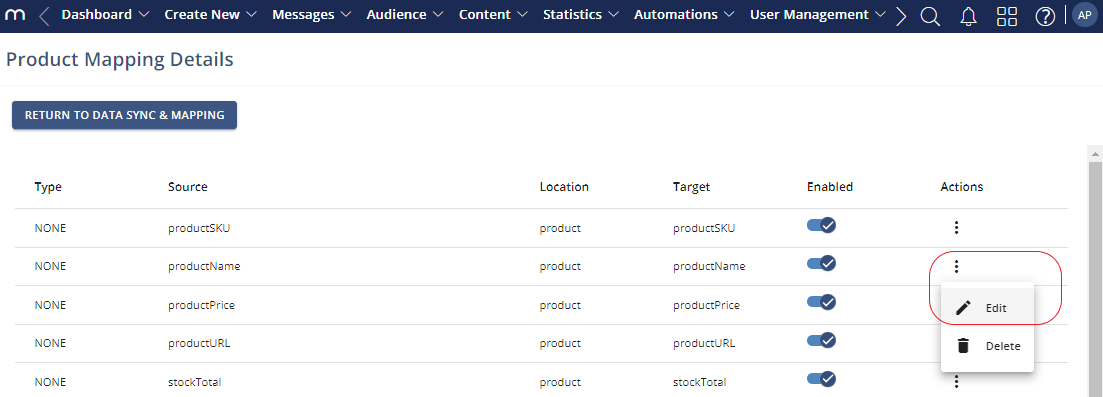
Go to the item you want to edit. Click the three dots menu under Actions and click Edit.
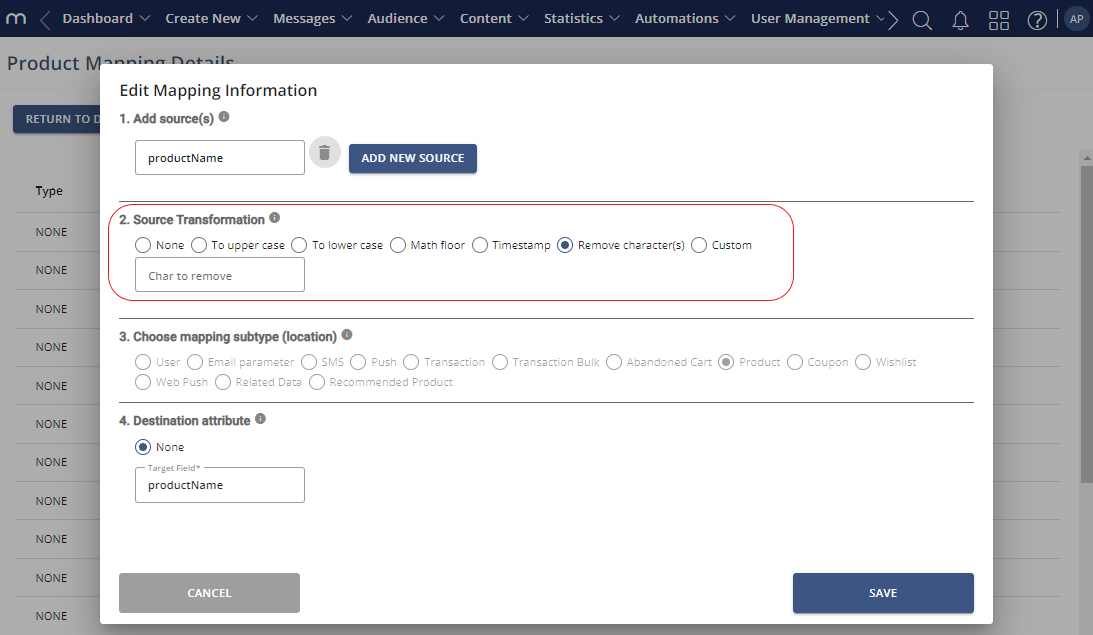
Adjust the mapping information as needed.
Selecting Remove character(s) opens a field where you can specify the character or string you want removed.
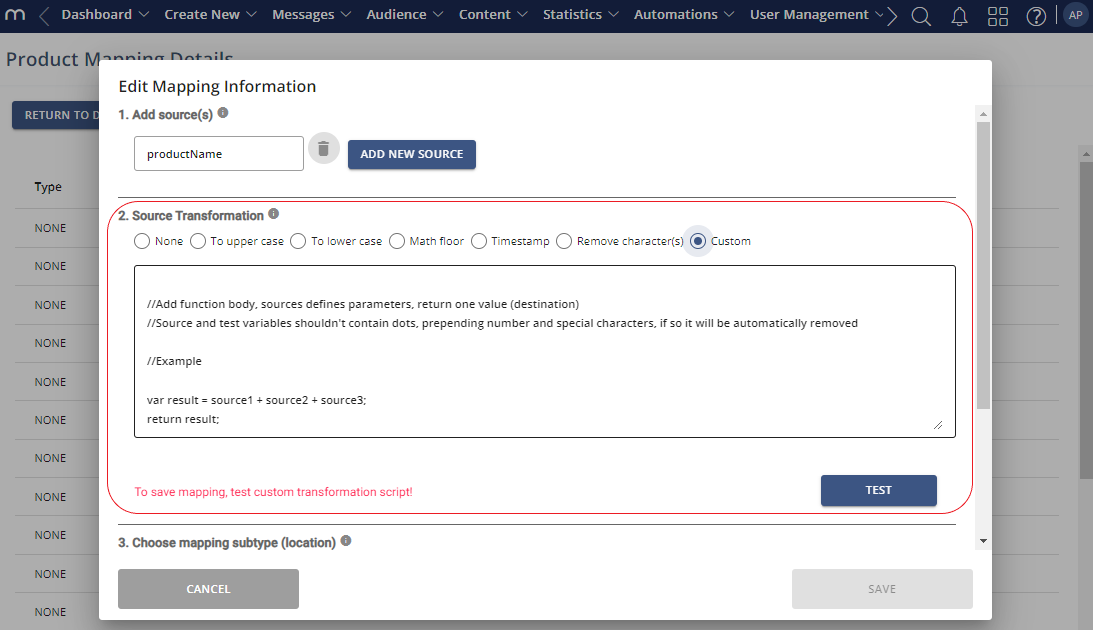
Selecting Custom opens a field where you can enter the JavaScript, and a button to test it.
Click Save.