Overview
A control address is a contact that receives copies of outgoing messages, either system-wide or for specific groups. For background on what control addresses do and how they differ from test recipients, see Control Addresses.
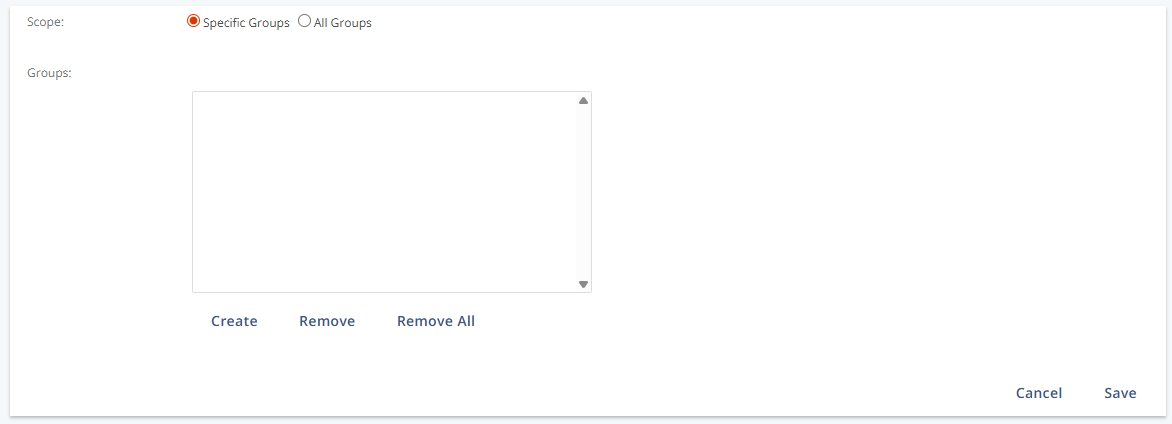
In this interface, you define the scope of a control address: apply it to all groups, or limit it to selected groups by adding or removing group assignments.
Navigation path
Go to Audience > Contact Management > All Contacts, then in the Actions column of the desired contact, click Control Address.
Settings
Setting | Description |
|---|---|
Scope | Defines whether the control address applies to All Groups or only to Specific Groups. |
Groups | Lists the selected groups when the scope is set to Specific Groups. |
Note:
Group assignments are only relevant if Scope is set to Specific Groups.
When the scope is set to All Groups, the Groups area is ignored.
Actions
Action | Description |
|---|---|
Create | Opens the Select Groups panel to add groups. |
Remove | Deletes one selected group from the list. |
Remove All | Deletes all selected groups from the list. |