Overview
The Abandoned Browse interface provides access to stored product browse events that were not followed by further actions. The data can be searched by product or user and manually imported into the Abandoned Browse dataset for further use.
Navigation path
Administration > eCommerce > Abandoned Browse
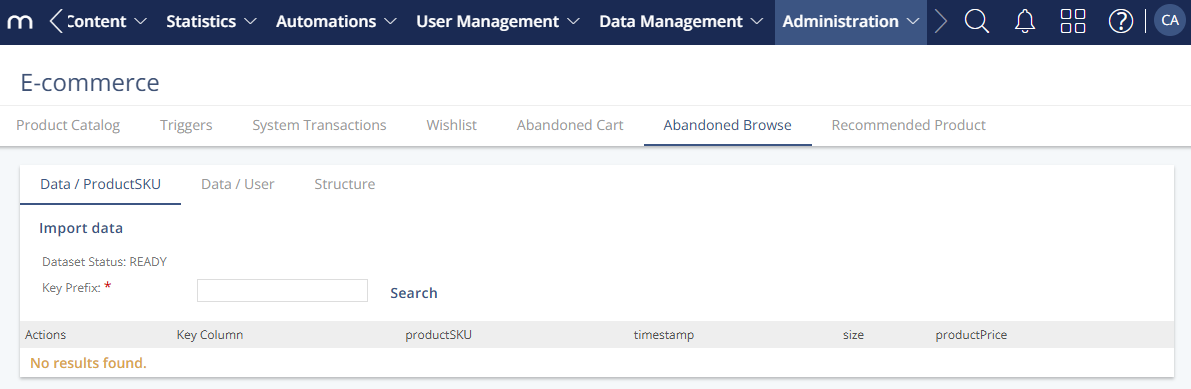
Data / ProductSKU
Action | Description |
|---|---|
Search | Looks up Abandoned Browse items using a key prefix to filter the displayed records. |
Import data | Opens the Add New Data page for a manual file import (CSV or XML). The settings are the same as for related data sets, see Import Data Into Related Data Set. |
Data / User
Looks up the entries of a contact by User PK (User Primary Key, related to the contact ID). The results show the product SKUs.
Structure
The Structure tab displays the Abandoned Browse data structure, including available fields and their properties.
Column Heading | Description |
|---|---|
| The unique identifier of the browsed product. |
| The date and time when the product was browsed. |
| The product size information, if available. |
| The price of the product at the time of browsing. |
The fields are not enumerated and are not required to be unique.
Data Retention
Entries in the Abandoned Browse eCommerce table are retained for 30 days. After this period, the data is automatically deleted.