Overview
Configure a location by setting the Address and Diameter used to define the area for location-based targeting. The map helps you verify and adjust the selection.
Navigation path
Go to Audience > Location Management.
Click Create Location.
Click Next.
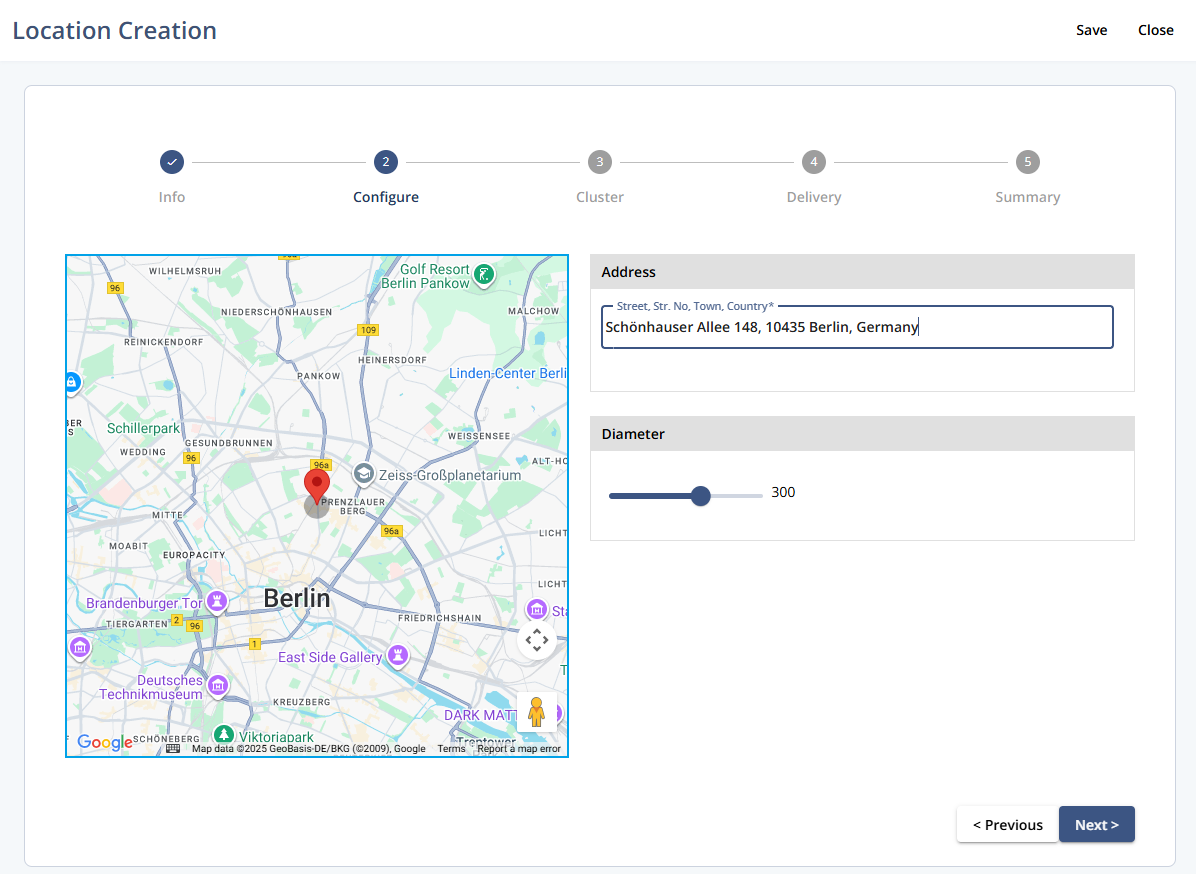
Settings
Setting | Description |
|---|---|
Address | Enter the street, number, town, and country to set the map’s center point for the location. |
Diameter | Specify the diameter (in meters) of the circular area around the address. Use the slider to adjust. |
Actions
Action | Description |
|---|---|
Save | Saves the current configuration. |
Close | Closes Location Creation. Unsaved changes are not applied. |
Previous | Moves to the previous step in the flow. |
Next | Proceeds to the next step in the flow. |