Overview
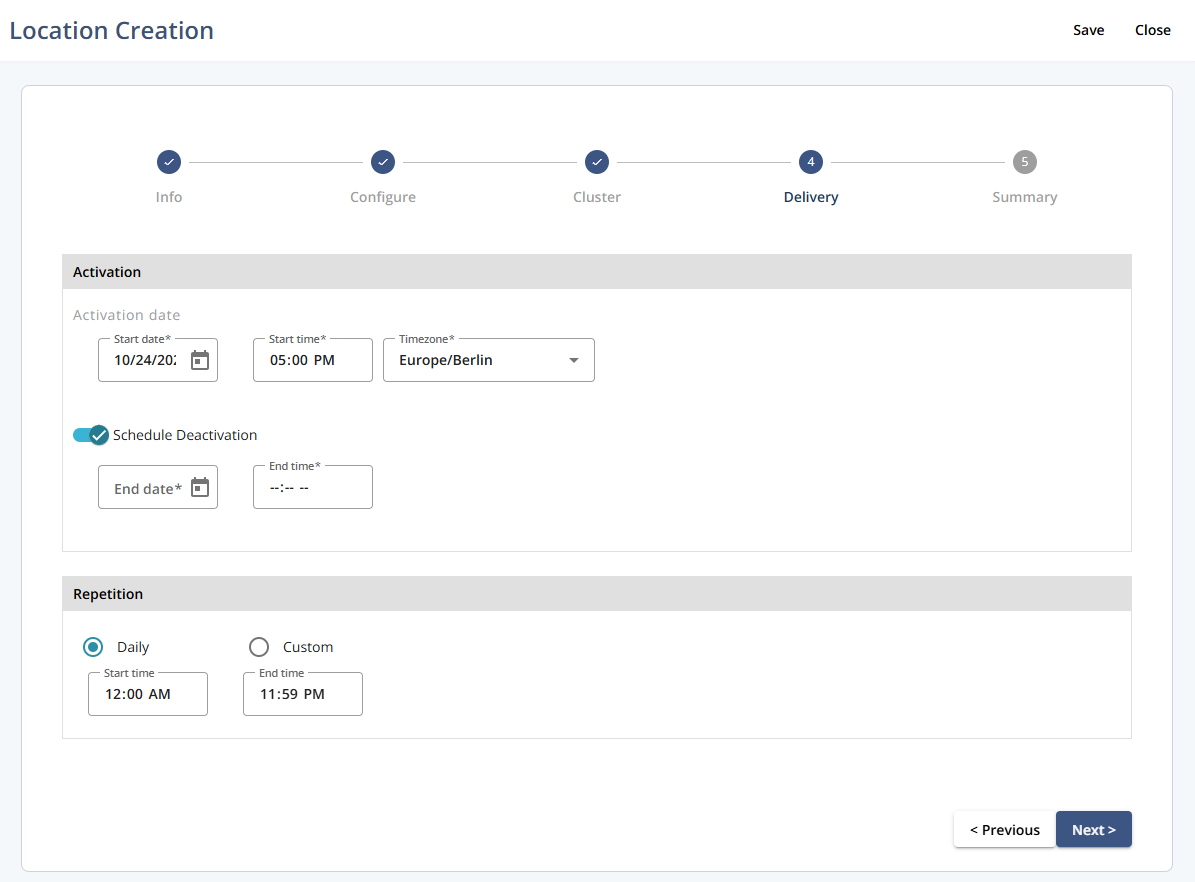
In this step, you define when the location becomes active and when it should deactivate. You can also set repeating activation intervals to control how often and for how long the location remains active. This ensures that the location is only active during the desired timeframes.
Navigation path
Go to Audience > Location Management.
Click Create Location.
Follow the location creation flow until you reach step 4 - Delivery.
Settings
Setting | Description |
|---|---|
Activation | Define when the location becomes active. Specify the start date, start time, and applicable timezone for the activation period. |
Schedule Deactivation | Set when the location should be deactivated. Specify the end date and end time if you want to automatically stop the location activity after a certain point. |
Repetition | Configure how often the location should repeat its activation cycle. Choose between Daily (with defined start and end times) or Custom, which allows you to set a specific recurring pattern and time window. |
Actions
Action | Description |
|---|---|
Save | Saves the current configuration. |
Close | Closes Location Creation. Unsaved changes are not applied. |
Previous | Moves to the previous step in the flow. |
Next | Proceeds to the next step in the flow. |