Overview
The Data Import tab allows you to view, create, and manage automated imports that synchronize data from external sources into Mapp Engage. It also provides an overview of all configured imports and their execution status, making it easier to monitor data synchronization activities.
Navigation Path
Data Management > Mapp Connect > Add New Integration > Data Import
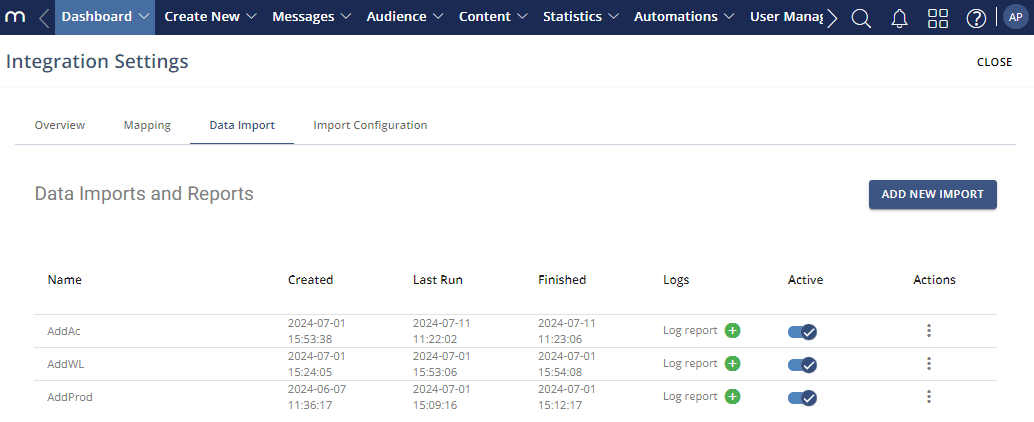
Settings
The Data Import overview provides the following columns for each configured import.
Setting | Description |
|---|---|
Name | The name of the data import configuration. |
Created | The date and time when the import configuration was created. |
Last Run | The date and time when the import was last executed. |
Finished | The date and time when the most recent import run was completed. |
Logs | Provides access to the log report for an import run. Click the plus icon next to Log Report to view the import status. |
Active | Indicates whether the import is enabled. |
Actions
The following actions are available for managing data imports.
Action | Description |
|---|---|
Add New Import | Creates a new data import configuration. |
Configure | Opens the configuration of an existing data import. |
Run once | Executes the import one time. |
Copy | Creates a copy of the selected import configuration. |
Remove | Removes the selected import configuration. |
Close | Closes the view. |