Overview
The Import Configuration interface defines how external data files are imported into Mapp Engage. It controls the import schedule, data source, file handling, processing steps, and monitoring options to ensure imported data is processed correctly and consistently.
Navigation Path
Automations > Mapp Connect > Integration Settings > Data Import
Settings
Import Job Configuration

Setting | Description |
|---|---|
Job name | Defines the unique name of the import job. Each import job must have a distinct name. |
Runs every | Defines the schedule for the import job, including start date and execution frequency. |
Job status | Controls whether the import job is active. Set to Enabled only after all incoming data columns are fully mapped. |
Import Source
|
|
|---|
Setting / Action | Description |
|---|---|
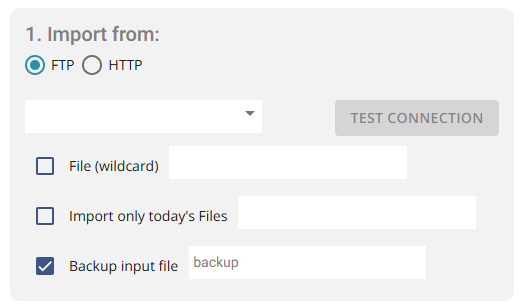
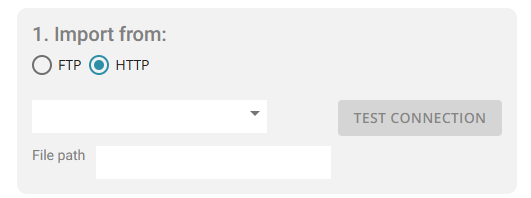
Import from | Selects the data source type: FTP/SFTP or HTTP. |
Connection (drop-down) | Selects a predefined connection used to access the import files. |
Test Connection | Validates the selected connection. An alert is shown if the test fails. |
File path | Defines the file path for HTTP imports if it was not specified during credential setup. |
File (wildcard) | Allows importing multiple files that match a wildcard pattern. Only the “*” wildcard is supported. |
Import only today’s files | Limits the import to files created on the current day. |
Backup input file | Creates a backup copy of the imported file before processing. |
File Handling (Optional Steps)
Setting | Description |
|---|---|
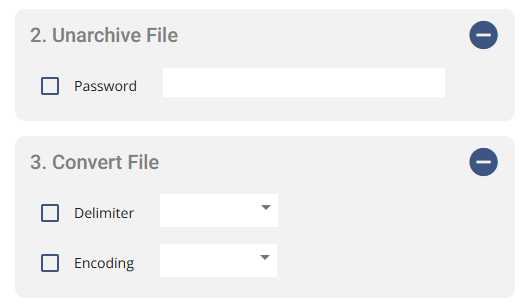
Unarchive file | Extracts archived files before processing. Supported formats are |
Convert file | Defines the file delimiter and encoding before processing. All imported files must use the same encoding and delimiter. |
Note:
If multiple files are imported in one job, encoding and delimiter settings must be identical for all files.
Data Processing
Setting | Description |
|---|---|
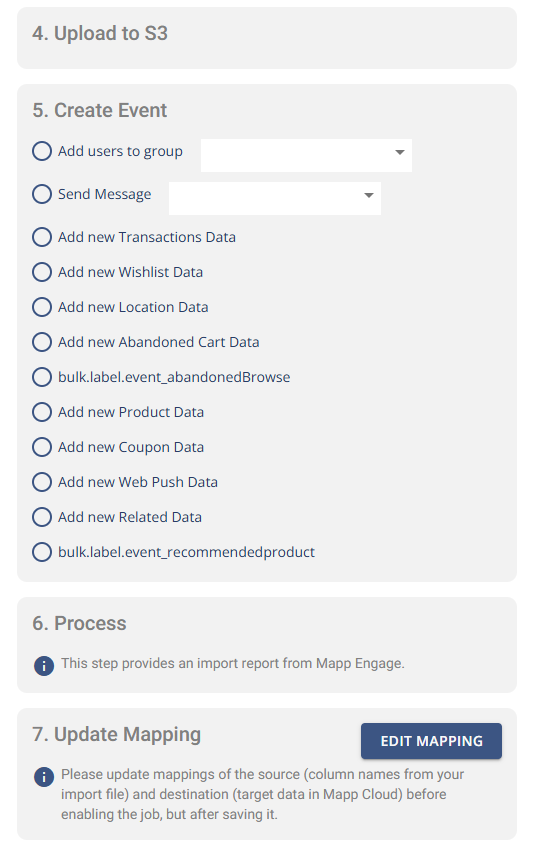
Upload to S3 | Uploads the processed file to Mapp’s S3 server. This step is automatic and cannot be configured. |
Create Event | Defines how imported data is handled in Mapp Engage, including adding users to groups, sending messages, and updating related data tables. |
Process | Generates an import report summarizing the execution and processing results. |
Update Mapping | Opens the mapping configuration to align source file columns with target data fields in Mapp Engage. |
Monitoring
Setting | Description |
|---|---|
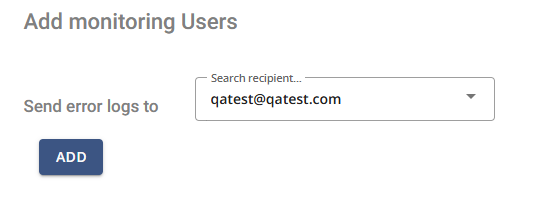
Send error logs to | Defines recipients who receive error logs when an import job fails. |
Actions
Action | Description |
|---|---|
Run once | Executes the import job once without changing the configured schedule. |
Copy | Creates a duplicate of the selected import job, including its configuration and settings. |
Remove | Deletes the selected import job. |
Save | Stores the import configuration and settings. |
Additional Information
One import job can process multiple files if they match the same wildcard pattern and data type.
Supported data types include users, transactions, wishlists, abandoned carts, location data, and related tables.
A CSV column named
skipUnsubscriberscan be included to prevent re-adding unsubscribed contacts when set to “TRUE”.Import jobs should remain Disabled until all mappings are verified to avoid processing errors.