10 December 2025: Creating a new Whiteboard is now faster and easier with a brand-new template library and an updated, modernized user interface.
Key Benefits
Faster onboarding: Users no longer start from an empty canvas - templates provide immediate structure and best-practice workflows.
Guided decision-making: Pre-built scenarios help users choose the right Whiteboard for their goals, reducing uncertainty.
Enhanced usability: A visual UI refresh makes Whiteboards easier and more intuitive to navigate.
.png)
How Does It Work?
Mapp Engage now offers three ways to create a new Whiteboard: from scratch, by reusing an existing whiteboard, or from a template. The new template library offers a collection of ready-to-use Whiteboards designed for common scenarios across all communication channels.
Examples include:
Welcome Message – A simple onboarding flow triggered after a new contact is added.
Happy Birthday – An automated annual birthday message sent at the perfect time.
Abandoned Cart – A reminder flow that encourages contacts to complete their purchase.
We will continue to expand the template library, so stay tuned for future updates!
To use a template:
Navigate to Automation > Whiteboards.
Select Create new Whiteboard.
Choose Create from template.
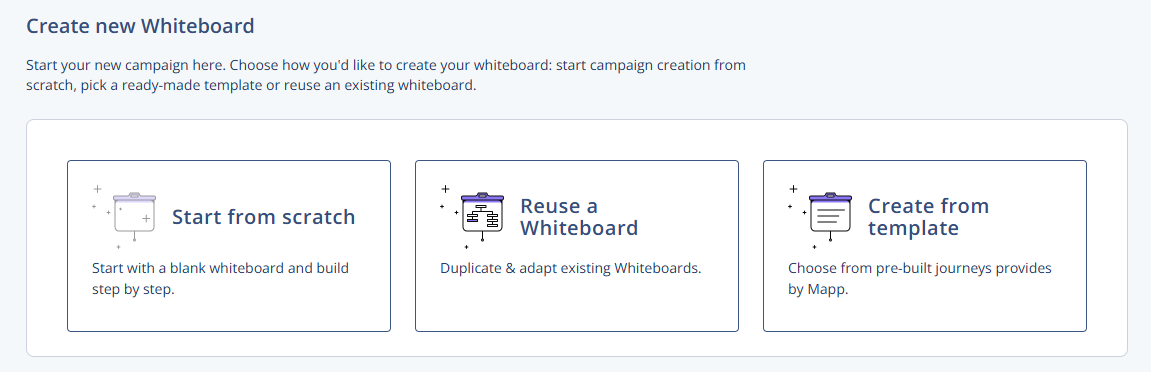
Choose a template from the drop-down list.
Click Select Template to load it into the editor.
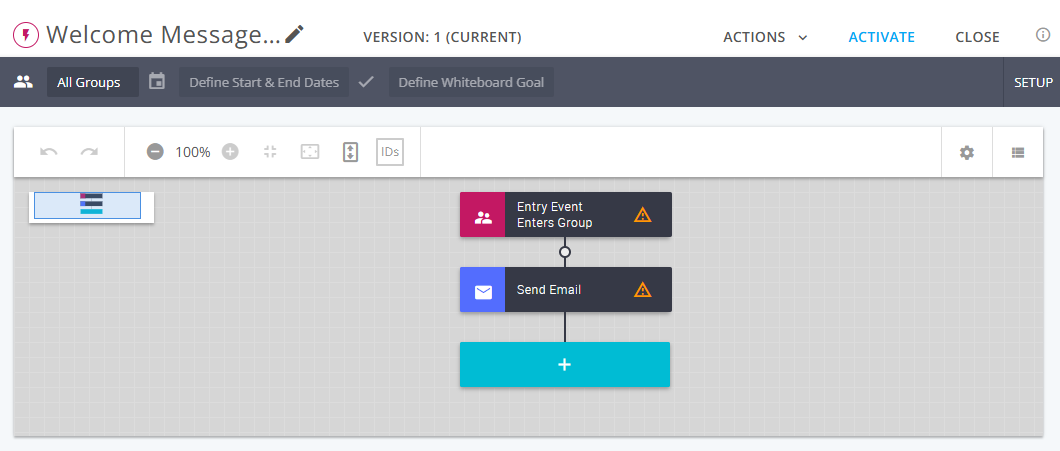
A Welcome Message whiteboard created from a template
All templates are fully customizable, allowing you to adjust timing, conditions, and message nodes as needed.
Availability
This update will be gradually rolled out to all Mapp Engage users between December 9 and 16, 2025. No activation is required - templates and the new UI will appear automatically. Your existing whiteboards will not be affected by this update.