Overview
This step allows you to create a single contact in Mapp Engage.
Navigation Path
Go to Audience > Contact Management > All Contacts.
Click Create.
Settings
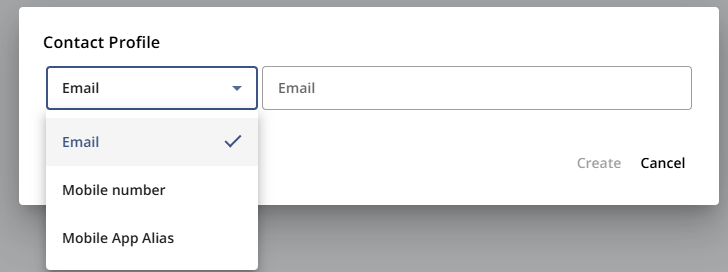
Each contact must be stored with a unique identifier. Here, you choose which identifier type to assign to the new contact.
Identifier Type | Description |
|---|---|
Uses the contact’s email address as the unique identifier. | |
Mobile Number | Uses the contact’s mobile phone number as the unique identifier. |
Mobile App Alias | Uses the alias generated by a mobile app as the unique identifier. |
Actions
Action | Description |
|---|---|
Create | Creates the contact profile with the specified identifier. If the identifier is not unique, creation fails with an error. |
Group assignement:
New contacts are not assigned to a group automatically. Until added to a group, they receive only system messages and single messages for which they match the segmentation criteria.