Overview
The Message Creation Step 1 - Type view for SMS lets you define the basic setup of your SMS message. This includes assigning a name, adding a description, and tagging the message for easier identification and organization within the Engage system.
Navigation Path
Create New > Message > Email Message > HTML Email
You can also access this page from existing messages:
Messages > Draft Messages > SMS > Edit
Messages > Prepared Messages > SMS > Edit
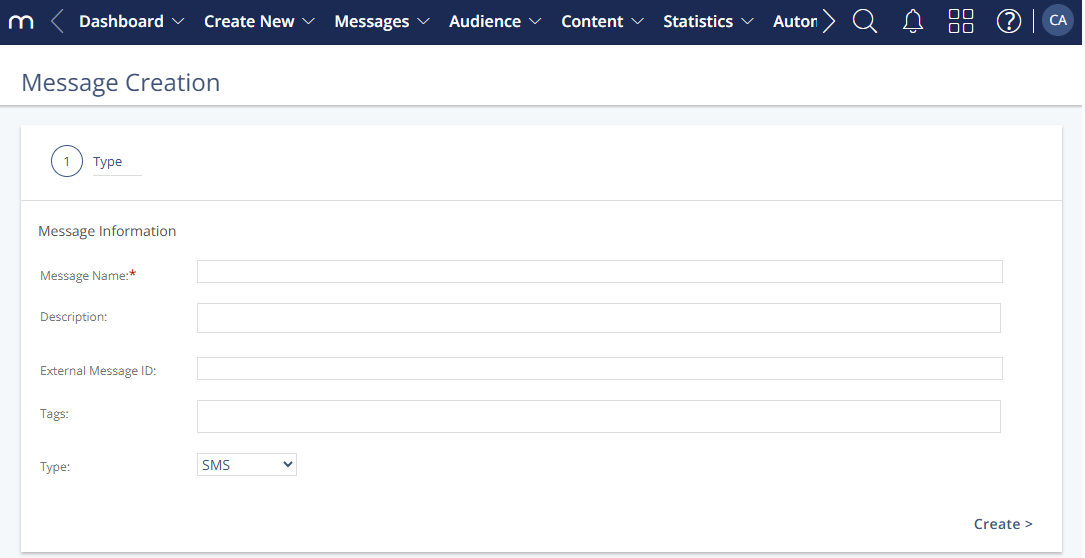
Settings
All fields support alphanumeric characters.
Setting | Description |
|---|---|
Message Name | Required field that defines how the message is labeled within the system. |
Description | Optional internal description to help you identify the purpose of the message. |
External Message ID | Adds a custom ID to outbound links for tracking in external systems. The External Message ID is useful for tracking across analytics or eCommerce platforms. |
Tags | Internal keywords to help categorize or search for the message. Use commas. |
Type | Displays “SMS” as the selected message type. This field is fixed and reflects the selected channel. |