Goal
Create a user segment in Mapp Intelligence and make it available for targeting in Mapp Engage.
Background Information
Mapp Cloud provides a direct connection between Mapp Intelligence and Mapp Engage. This connection allows you to use segments created in Intelligence as targeting criteria in Engage. You can leverage the advanced filter capabilities in Intelligence to define audiences and then combine them with additional conditions in Engage.
Procedure
Log in to Mapp Intelligence.
Open Segment Manager, then click Create new segment.
Add the required filter criteria to define your segment.
In this example, the segment targets users who show interest in tablets, based on the time they spend in a specific website category.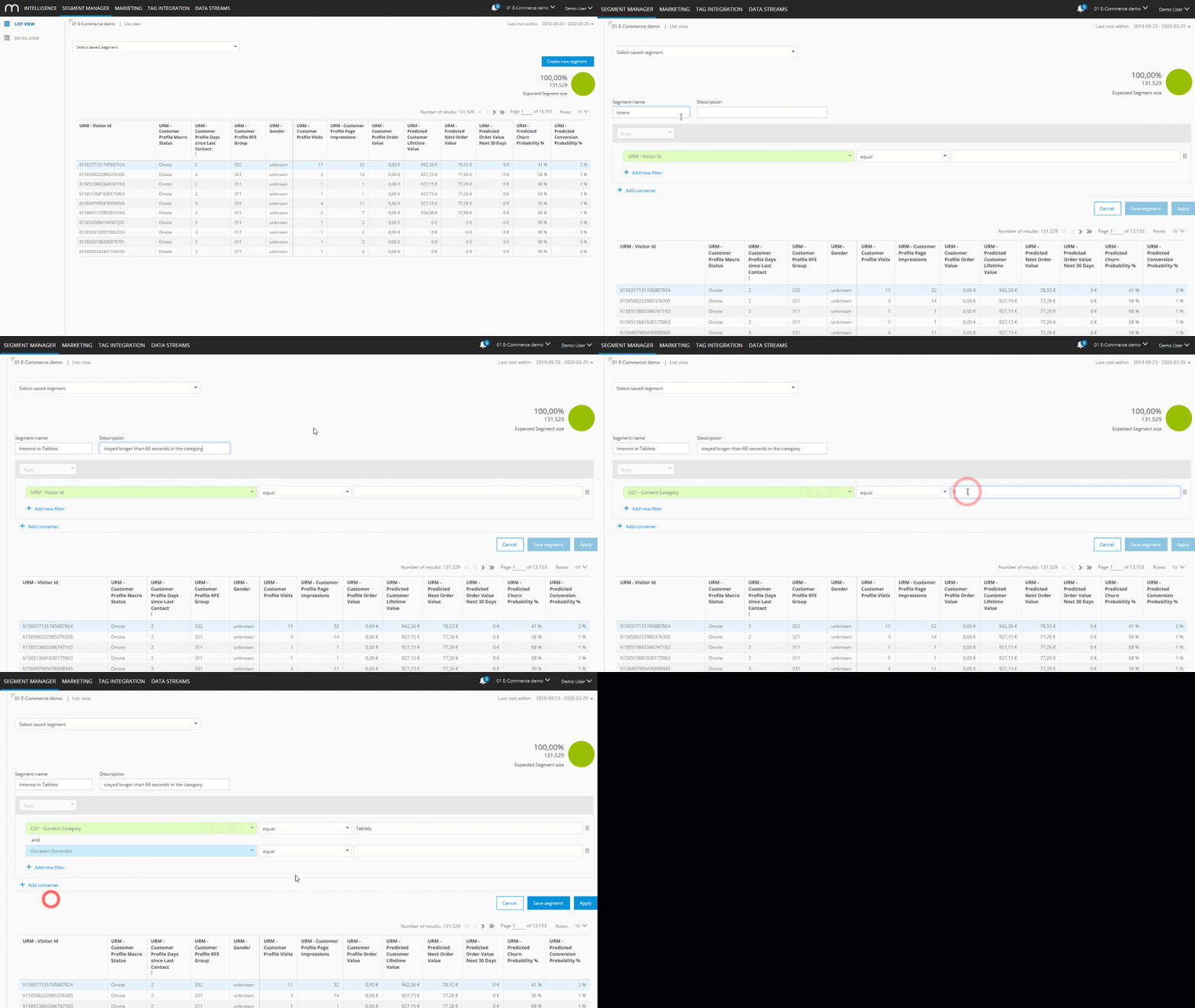
Click Apply to check how many users match the segment within the selected time period.

Click Save segment.
The segment is automatically made available in Mapp Engage.Log in to Mapp Engage.
Go to Audience > Segmentation > Segmentation Builder > Create.
In Mapp Engage, locate the segment under the Intelligence section.
Segments created in Mapp Intelligence are labeled as CI Segments, where CI stands for Customer Intelligence.Select the CI segment and define the required details in the setup pane.
In this example, the segment is further restricted to users who are interested in tablets and have successfully received an email.
Use the segment in Messages or Whiteboards.