Formulas can be built to calculate own metrics. Setup is done at Custom Figures > Custom Formulas

The permission to create custom metrics must be set in the user management.
This can be done at User Management > Roles and within a role at Rights Management > Configuration Access.
1 Configuration
Clicking on Create formula opens the formula editor.
In a formula, you can use metrics, formulas, operators, and numbers.

Metrics and formulas can be edited directly in the formula. This way, you can create custom metrics that are only available in this formula.
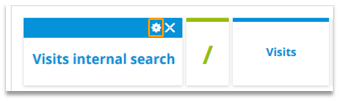
Changes to existing formulas are applied across the entire account (e.g., in reports, "My Analyses," or other formulas).
Hint: Unicode characters can be entered by typing the corresponding number combination on the numeric keypad while pressing ALT.

Example: Input of the average symbol
Hold „ALT“.
Enter „0 2 1 6“.
Release „ALT“.
2 Use Cases
Examining origin
Visits via Google %
What is the share of access via Google on the overall number of visits?
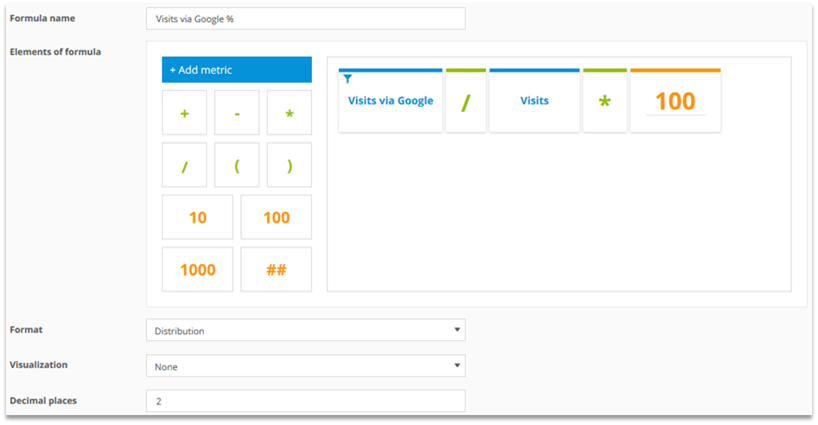
Filtering of the metric:

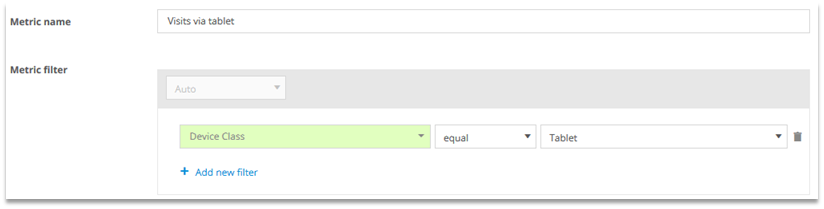
Visits via tablet %
What is the share of tablet access on the overall number of visits?

Filtering of the metric:
Examining user activity
Newsletter registration (value)
Each newsletter registration is worth 5 Euros. What was the total value of newsletter registrations?

Filtering of the metric:
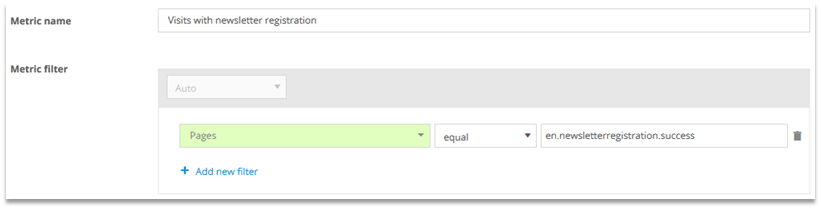
You should filter on the page that is shown when a newsletter registration is successful.
Visits without product interaction %
In how many visits there was no product interaction?
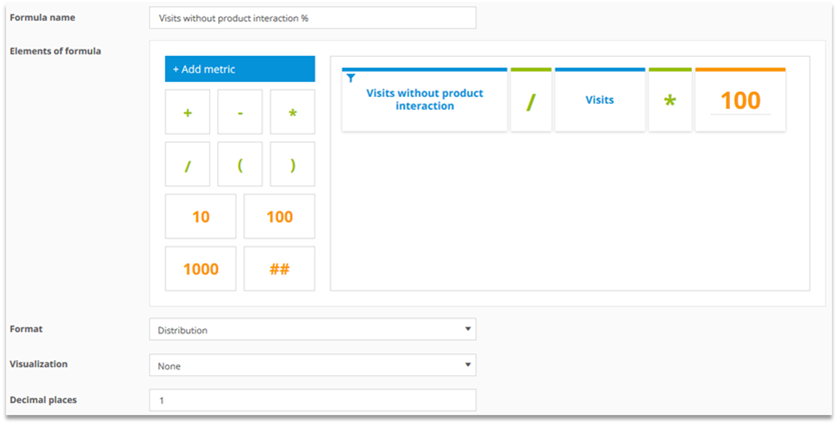
Filtering of the metric:
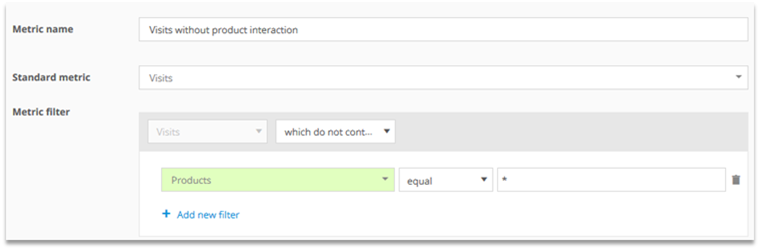
Product interaction means viewing a product in a list, viewing a product in detail, adding a product to a cart, or purchasing a product.
Examining products and orders
Share of viewed sale items %
What share of viewed products belongs to the product category „Sale“?

Filtering of the metric:
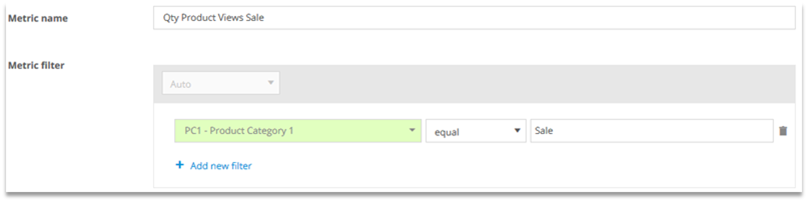
„PC1 – Product Category 1“ is a custom-created category.
Share of orders with sale item %
What is the share of orders with at least one product of the product category „Sale“?
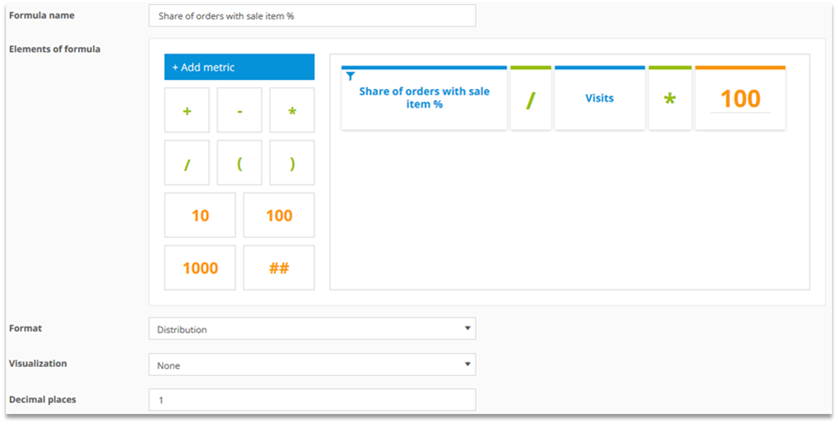
Filtering of the metric:
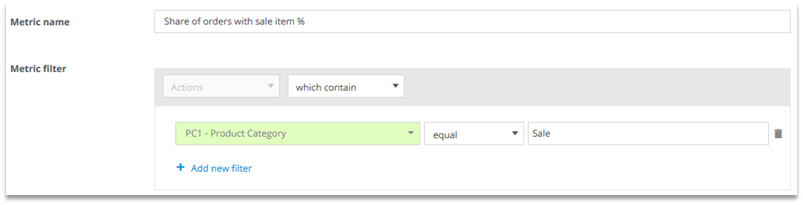
„PC1 – Product Category 1“ is a custom created category.