Overview
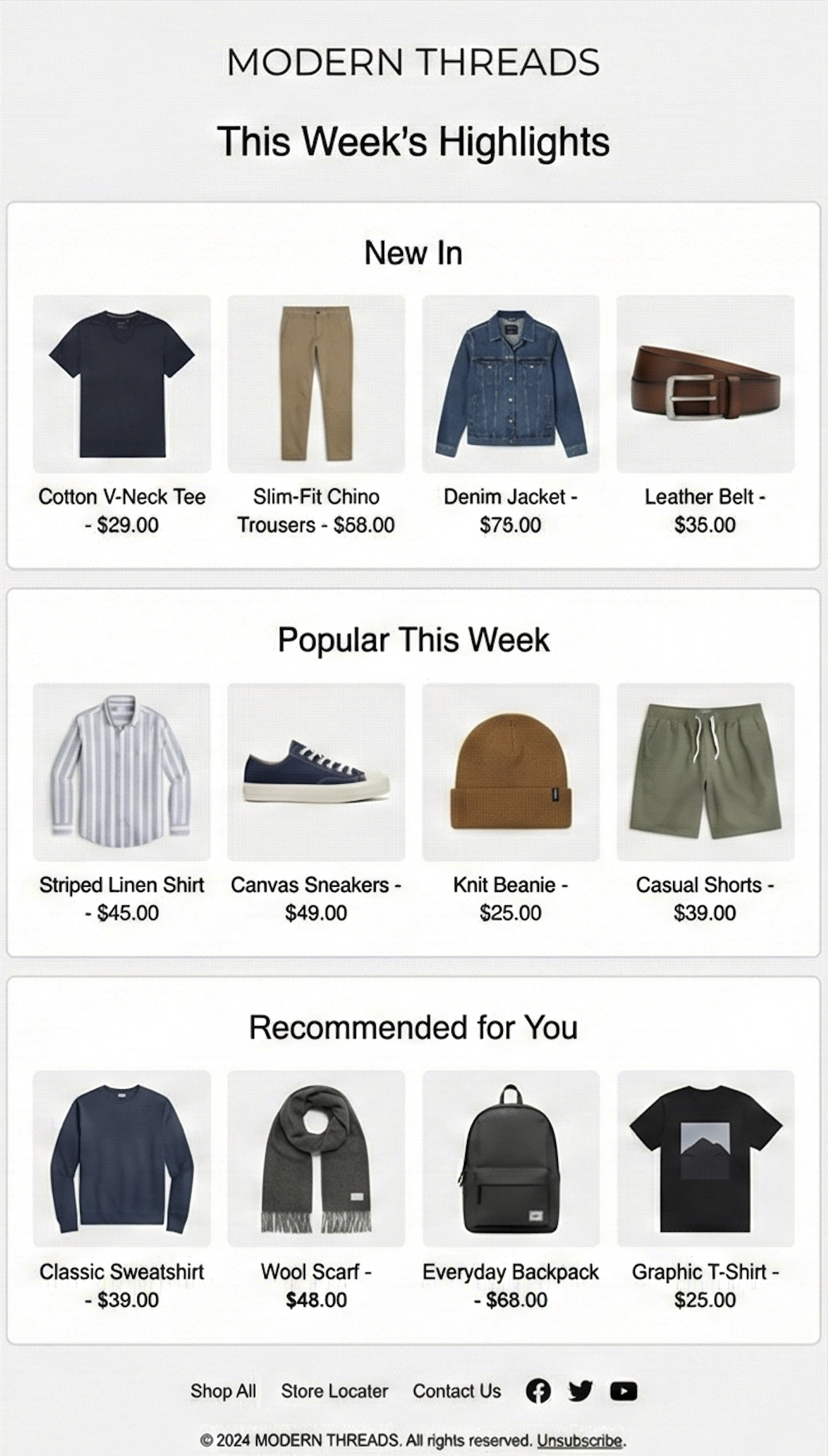
Newsletter Recommendations showcase personalized product suggestions in ongoing business-as-usual emails. These emails are used in regular campaigns and commonly follow themes such as “New In”, “Top Recommendations”, “Denim”, “Summer Tones”, or “Formal Occasion.”
The feature delivers image-based product content blocks, generated from enriched product data, that can be placed directly into existing newsletter templates. Each block includes rendered product information and is inserted using simple <a>/<img> embeds, with all selection and recommendation logic fully handled by Mapp.
No API calls or custom code are needed. Your email tool only fills in the send ID and the customer ID in the links that Mapp provides.
Benefits
Consistent Engagement: Automated, frequently refreshed product content helps BAU newsletters maintain steady performance over time.
Relevant Recommendations: Uses enriched product attributes to surface suggestions aligned with customer interests and campaign themes.
Brand Alignment: Ensures a consistent look and feel across recurring newsletter campaigns through standardized image-based content blocks.
Simple Workflow: Works with existing email tools using straightforward image embeds; no API calls or custom code required.
Integration
Newsletter Recommendations for BAU emails are configured through a joint process involving Mapp’s Style Team and Creative Team.
Setup Steps
Define themes and product sets: The Style Team collaborates with you to determine the product themes (e.g., seasonal trends, key categories, curated edits), the number of items to include, and the planned newsletter send date.
Approve image layouts and visual formatting: The Creative Team prepares the image formats, layouts, and visual elements to match your brand guidelines and newsletter template. You review and approve the proposed layout.
Generate and deliver image-based recommendation slots: Mapp provides the finalized image-based product content blocks, each delivered as simple
<a>/<img>embeds.Embed content into your ESP and complete the send-out workflow: You insert the generated images into your BAU newsletter in your ESP (e.g., Mapp Engage). Your email tool fills in the send ID and, for each recipient, the customer ID in the links. Then you proceed with your standard preview, testing, and send-out process.
Requirements
For the link format and its parameters, see Themed & BAU Emails. For the requirements, see the column BAU Emails in the Prerequisites Matrix.