Overview
The Message Creation Step 1 - Type view for SMS lets you define the basic setup of your SMS message. This includes assigning a name, adding a description, and tagging the message for easier identification and organization within the Engage system.
Navigation Path
Create New > Message > SMS Message
You can also access this page from existing messages:
Messages > Draft Messages > SMS > Edit
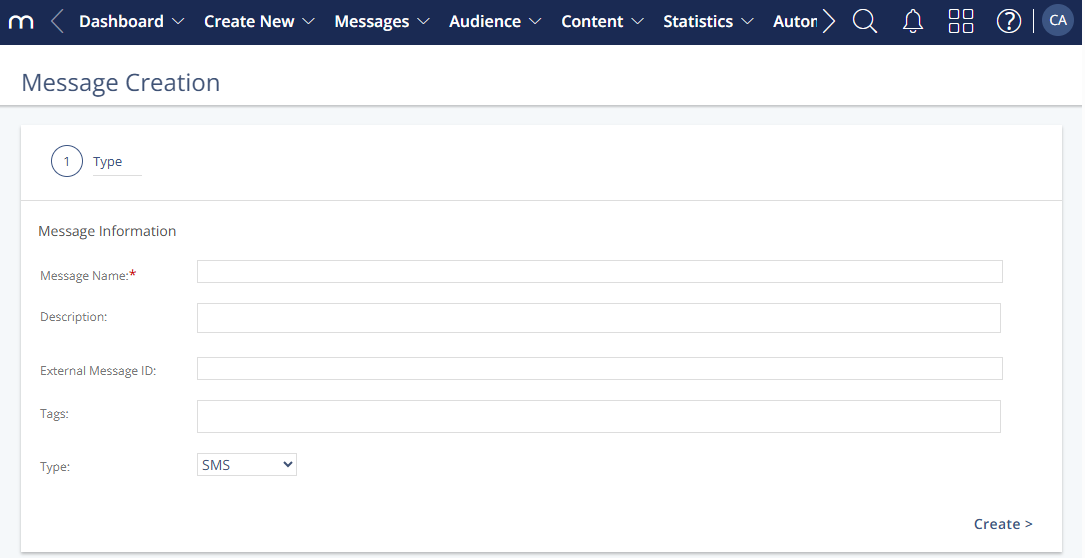
Settings
All fields support alphanumeric characters.
Setting | Description |
|---|---|
Message Name | Required field that defines how the message is labeled within the system. Enter at least 3 and at most 250 characters. |
Description | Optional internal description to help you identify the purpose of the message. |
External Message ID | Adds a custom ID to outbound links for tracking in external systems. The External Message ID is useful for tracking across analytics or eCommerce platforms. |
Tags | Internal keywords to help categorize or search for the message. Use commas. |
Type | Shows the channel you selected when you started the message creation (SMS). For new messages, you can switch to Email here. For existing messages, the type is fixed. |
Actions
Action | Description |
|---|---|
Create > | Only for new messages. Saves the message as a draft and opens Step 2 - Content. |
Edit > | Only for existing messages. Opens Step 2 - Content. |