Overview
Create attributes to store audience-related information in your account. Choose an attribute type and configure its options to control how data is captured and used.
Navigation Path
Create New > Attribute
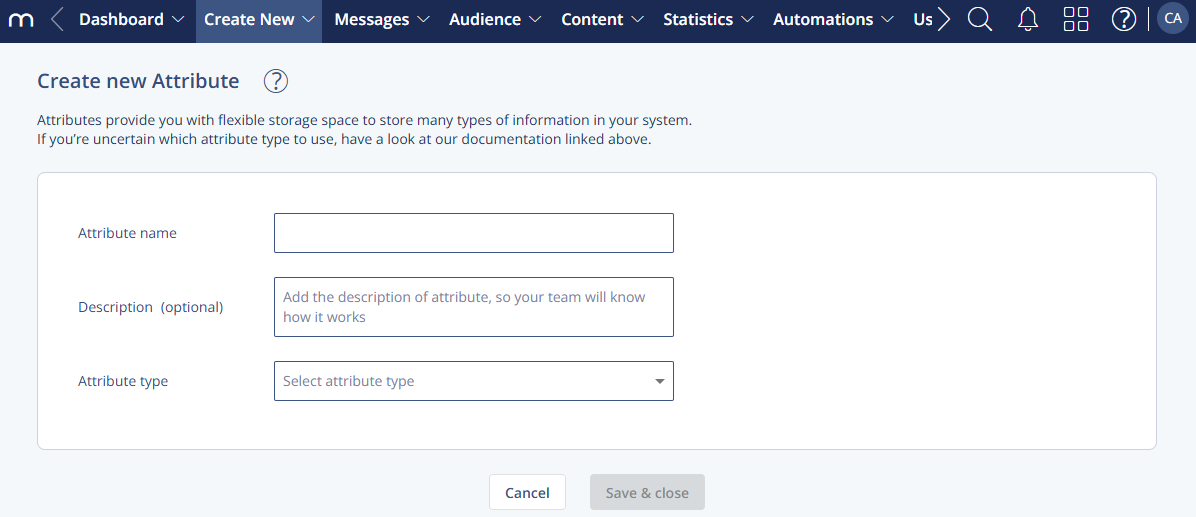
Settings
1 General Settings
Setting | Description |
|---|---|
Attribute name | The display name for the attribute. |
Description (optional) | A short explanation to help your team understand how the attribute is used. |
Attribute type | Select one of the available types: Profile Attribute, Group Attribute, Member Attribute, or Related Data Set. |
1 Profile Attribute
Configure attributes stored on a user profile.
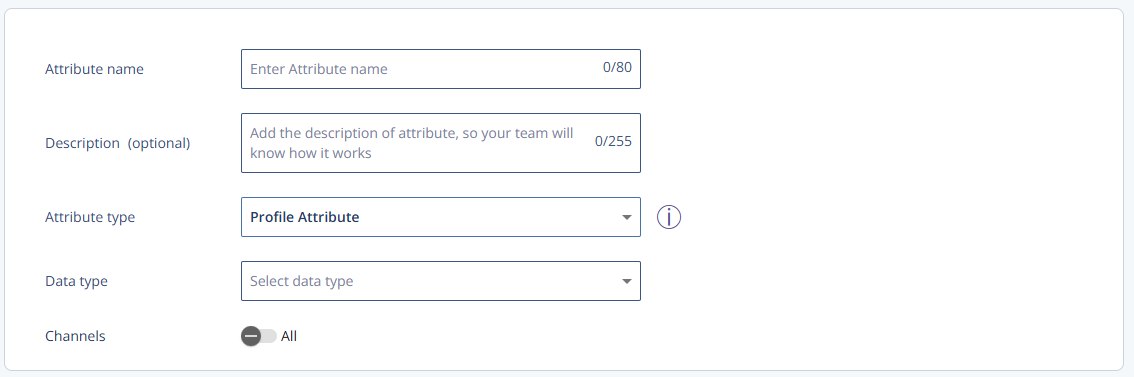
Setting | Description |
|---|---|
Data type | Select from String, Number, Boolean, and Date |
Channels | By default set to All. Enable toggle to select a specific channel or channels from a drop-down list. |
Enumerated | Creates an enumeration for values. Once enabled, values can be addedSee Attribute Enumeration Management. |
2 Group Attribute
Configure attributes stored at group level.
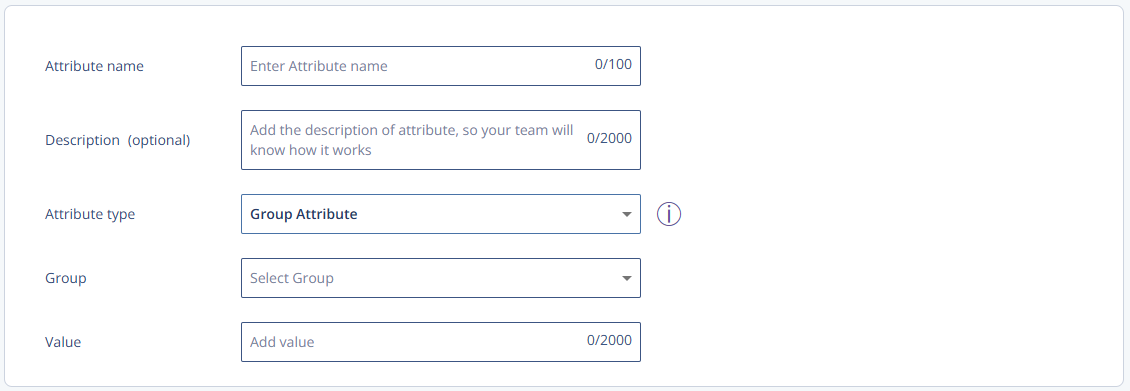
Setting | Description |
|---|---|
Group | Select the group from the drop-down. |
Value | Enter the group attribute value. |
3 Member Attribute
Configure attributes for the same contact across multiple groups.
Setting | Description |
|---|---|
Group | Select the group for which the member attribute applies. |
4 Related Data Set
Define a related data table for additional records linked to a profile.
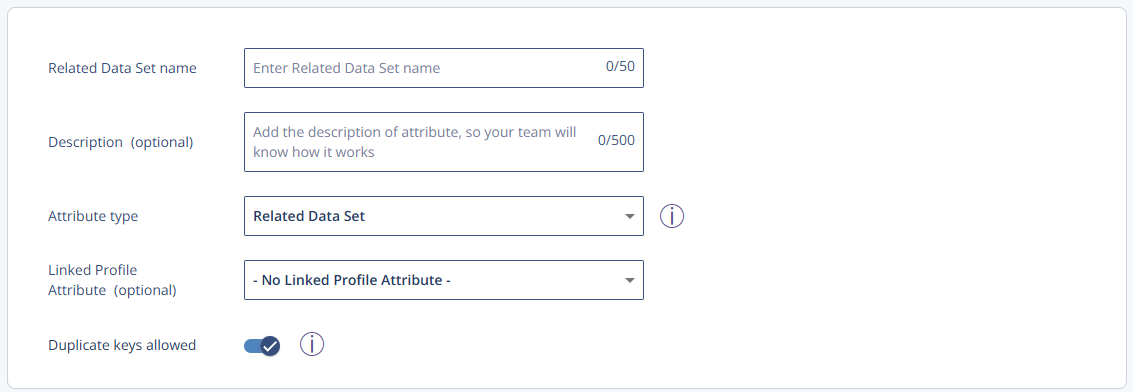
Setting | Description |
|---|---|
Linked Profile Attribute (optional) | Select the profile attribute the related data set links to. |
Duplicate keys allowed | Toggle whether keys in the related data set must be unique (one occurrence) or can repeat (non-unique). |