Overview
The Edit Subgroups for Group interface is used to manage the composition of a SuperGroup. It allows adding existing groups as subgroups or removing subgroups that are no longer needed. This ensures that SuperGroups accurately reflect the intended audience structure.
For an explanation of what SuperGroups are and how they work, see SuperGroups.
Navigation Path
Navigate to Audience > Group Management > Groups
Select a SuperGroup (marked with (S) after the group name).
Select Edit Subgroups for the required SuperGroup.
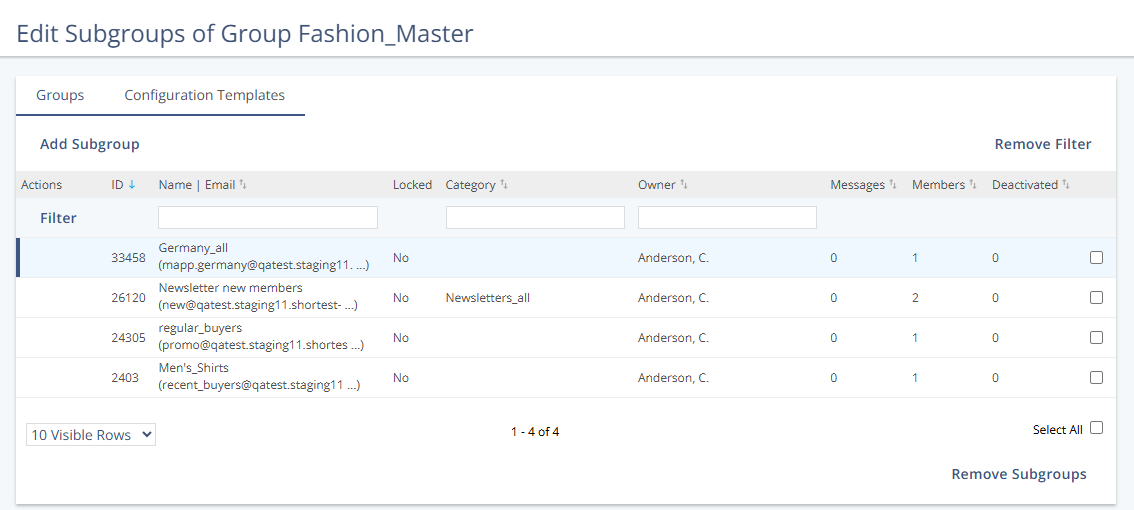
Actions
Subgroups are selected using the checkbox at the end of each group row.
Removing a subgroup only affects the SuperGroup membership and does not impact the group itself.
Action | Description |
|---|---|
Add Subgroup | Opens the Add Subgroups for Group view, where existing groups can be added to the selected SuperGroup. |
Remove Subgroups | Removes the selected subgroups from the SuperGroup. The groups remain available in the system and are not deleted. |