17 December 2025 We’ve extended Raw Data Exports for Push notifications with additional Push-related data, providing more detailed information directly in exported files.
Key Benefits
More detailed Push exports: Raw Data Exports can now include additional device, app, and consent metadata (such as OS details, app version, device characteristics, Push token, and consent status) related to Push notifications.
Improved analysis and troubleshooting: They support deeper analysis, validation of Push setups, and investigation of delivery or data issues outside the Mapp UI.
Better support for external reporting: Ideal for customers who process Push data in BI tools, data warehouses, or custom reporting pipelines.
How Does It Work?
No new workflows are required. The additional data fields are available when configuring a Raw Data Export for Push events. To retrieve data for these new columns, you must select an actual Push event. The availability and population of individual fields depend on the selected event and whether there is data for the contact and device.
Go to Data Management > Exports.
Create a new export and select Raw Data Export as the format.
In the export configuration, open Step 4: Event Data.
Under Metrics / Events (Push), select the required Push metrics and events.
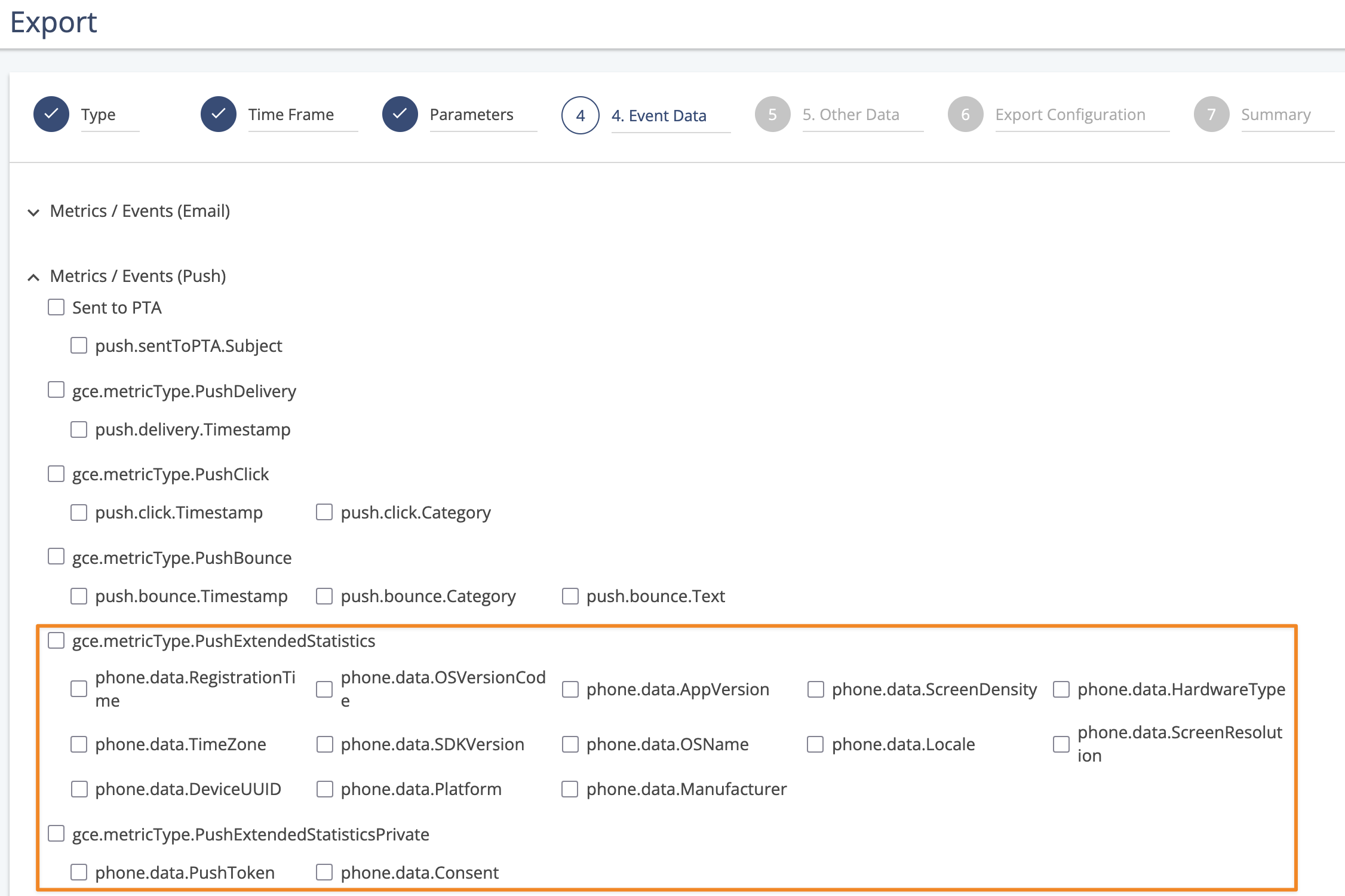
Some parameters are grouped under separate Push Extended Statistics types, including a private set that contains sensitive fields such as Push Token and consent information.
Note
The export setup remains unchanged, as we have only added new options. Existing exports are not affected unless the new fields are explicitly selected.
Availability
This update was released December 17th, and is available to all Mapp Engage customers using the Mobile Push channel with access to Raw Data Exports.