Overview
The Segmentation Builder overview displays all saved segments and provides access to creation, editing, maintenance, and status information for each segment.
Navigation path
Audience > Segmentation > Segmentation Builder
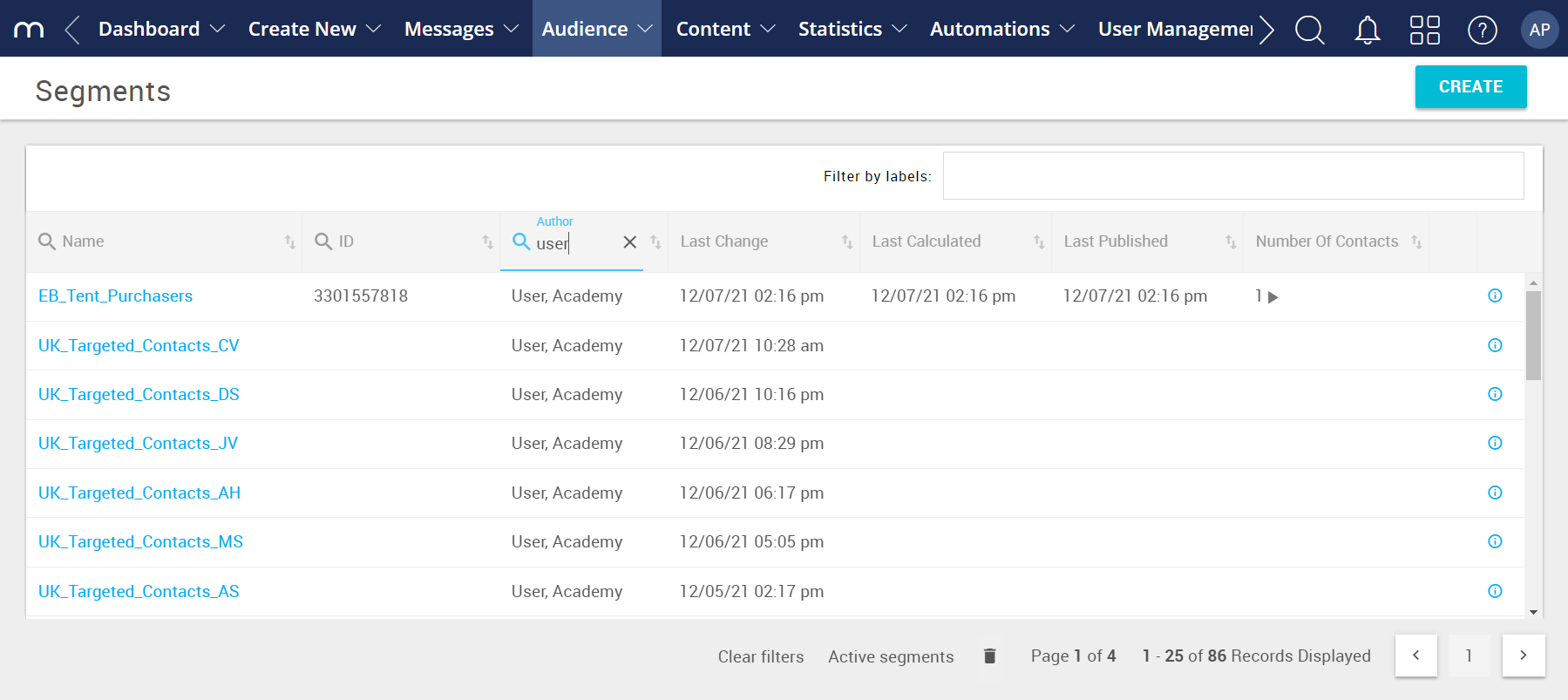
Actions
Segment-level Actions
You can open a segment directly by clicking its name. If you click anywhere else in the row, the segment is selected and a toolbar appears at the top of the page. The toolbar provides quick access to Edit and additional options under More.
Action | Description |
|---|---|
Edit | Opens the segment in edit mode. |
View | Opens the segment in view mode. |
Copy | Creates a copy of the selected segment. You must assign a unique name. |
Calculate | Calculates how many contacts match the segment criteria. |
Delete | Deletes the segment after confirmation. See Delete Segments. |
Transfer | Adds the selected segment to a group. See Add Segment to a Group. |
Archive | Moves the segment to the archive. Archived segments can be viewed using the toggle below the table. See Archive Segments. |
General Actions
Active vs. Archived Segments
At the top of the overview, you can switch between Active Segments and Archived Segments.
The list updates after a short loading period.
Action | Description |
|---|---|
Create | Opens a window to create a new segment. |
Delete (Mass Deletion) | The trash can icon at the bottom of the page opens Mass Segment Deletion, which allows you to delete multiple segments based on selected criteria. Segments currently in use are not deleted and will be marked as “Failed”. See Delete Segments. |
Column Definitions
Field | Description |
|---|---|
Name | The unique name of the segment. |
ID | System-generated segment ID. Created automatically when the segment is published. |
Author | System user who created the segment. |
Last Change | Date and time when the segment was last modified. |
Last Calculated | Date and time when the segment was last calculated. |
Last Published | Date and time when the segment was published. |
Number of Contacts | Shows:
|
Information |
|
 indicates that the segment size is limited to a specific number. For more information, see