Overview
Attributes define how data is stored and structured in Mapp Engage. They are used to store profile, group, member, address, and related data information, and make this data available for segmentation, personalization, analysis, and automation.
The Attributes interface provides an overview of all available attributes and related data sets, including their type, data format, status, and usage details.
Navigation Path
Administration > Attributes > Profile Attributes / Group Attributes / Member Attributes / Address Attributes / Related Data
Settings
Information in the Attributes window
Information | Availability | Description |
|---|---|---|
Attribute name |
|
|
Creator |
| Displays the name of the system user who created the attribute |
Last Editor |
| Displays the date when the attribute was last edited |
Type |
| Displays the attribute type: Standard or Custom |
Data type |
|
|
Enumerated |
| Displays whether the attribute is enumerated or not (Yes/No) |
Created |
| Displays the date when the attribute was created |
Last Updated |
| Displays the date when the attribute was last updated |
Channel Name |
| Displays the channel name for which the Address Attribute has been created. |
Related Data Set Name |
| Displays the name of the related data set. |
Owner |
| Displays the owner’s name. |
Status |
| Displays the status of the related data set: Ready |
Actions in the Attributes window
Action | Availability | Description |
|---|---|---|
|
| Redirects you to Mapp's online help page for assistance. |
|
| Creates a custom attribute for your Mapp Engage system. Custom attributes store relevant contact data, offering flexibility to align with your digital marketing needs. |
|
| Enables selection of attributes. |
|
| Clears all applied filters, restoring the default view. |
|
| Opens the context menu to display different options depending on the tab. For example:
|
|
| Adds the selected attribute to target group analysis in message statistics. Note: Boolean attributes are not supported. |
|
| Opens the attribute’s details window for editing. |
|
| Deletes the selected Member Attribute |
|
| Displays the structure of the Related Data Set |
|
| Archives the selected attributes. Archived attributes and their values remain stored and can be reactivated if needed. |
|
| Deletes selected Group Attributes |
|
| Opens options to Import or Export Group Attributes. |
|
| Creates a New related Data Set. |

.png)
.png)


.svg)
.png)
.png)
.png)
.png)
.png)
.png)
.png)
Searching & Filtering
Option | Availability | Description |
|---|---|---|
|
| Allows you to search for attributes by their name using text or numbers. |
|
| Enables filtering based on specific attributes. |
|
| Filters attributes by data type, such as String, Boolean, Number, or Date. |
|
| Filter by creation and update dates using a specific date or a custom date range. |
|
| Selects the Group for which the Group or Member attributes are available. |
|
| Displays the status of the related data set.
|
.png)
.png)
.png)
.png)
.png)
.png)
Viewing Attribute Details
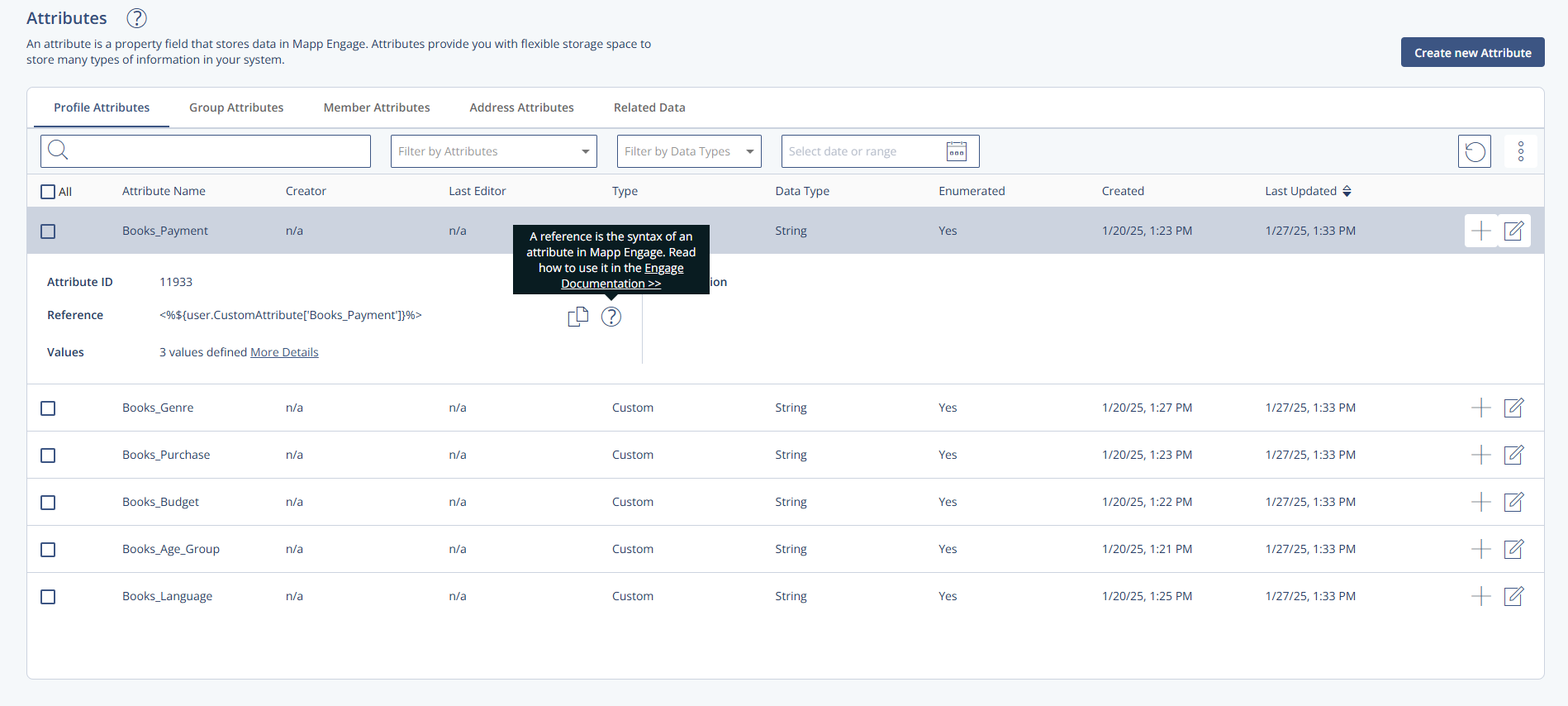
Click the attribute name to display details:
Attribute ID - automatically assigned by the Engage system upon creation
Reference - the attribute syntax used by the system to recognize attributes. See Attribute References.
Values - the number of defined attribute values
Description - an optional description of the attribute
.PNG)
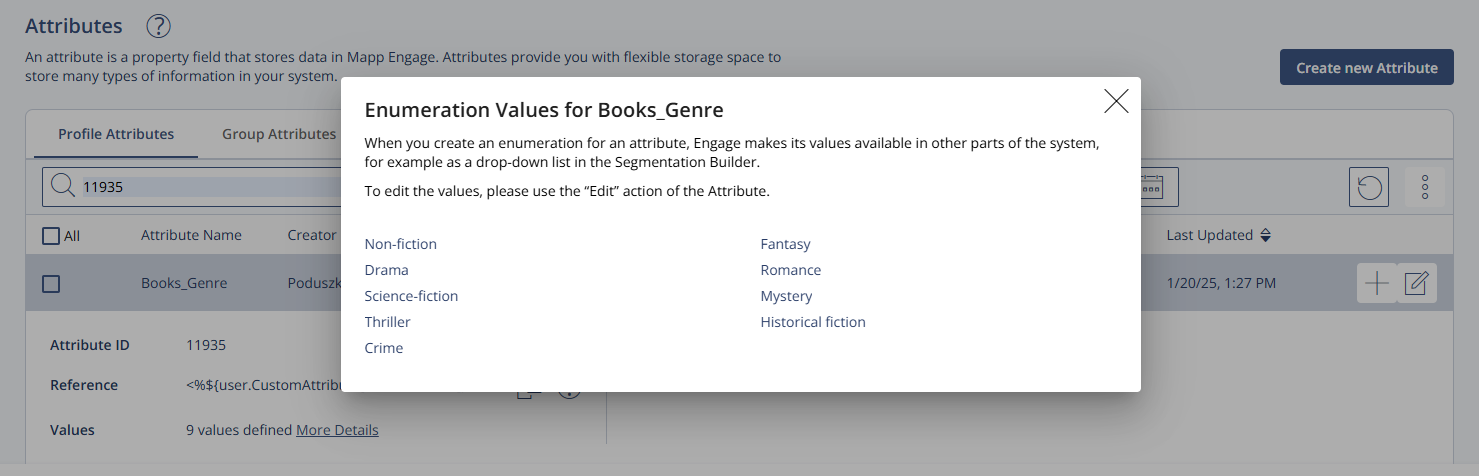
Click More Details to display the enumeration values defined for this attribute: